21
Copyright 2006 – Enseo, Inc.
19
TROUBLESHOOTING / FAQ
Troubleshooting
Display Show Blank Screen and “No Input”
The EBS-SP35 is designed to only work with specific Sony displays. To activate the video, the
EBS-SP35 must communicate with the display via the Communication Cable.
Possible Remedies:
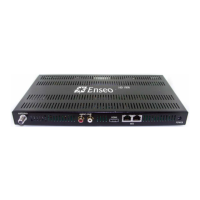
- Check the power to the EBS-SP35. Make sure that the green LED light is visible from the
top of the box.
- Check that the Communication cable is connected properly between the EBS-SP35 and the
Sony Display
o The RJ12 (phone jack style) connector must be connected to the CONTROL –
DISPLAY input on the SP35
o The 9-Pin Serial connector must be connected to the REMOTE connection.
(Note: on the Sony Plasma monitors, an Null Modem adapter may be
necessary to provide communication over the RS232 connector)
o The 1/8-inch mini-jack must be plugged into the Control-S OUT port
- Make sure you are using the EBS-SP35 with one of the following Sony displays:
L:CD Models
- FWD-32LX2 - FWD-32LX1/R - KLH-W26 **
- FWD-40LX2 - FWD-40LX1 - KLH-W32 **
Plasma Models
- FWD-50PX2
- FWD-42PX2
- FWD-42PV1
** - The KLH-W26 / KLH-W32 models can support the EBS-SP35, yet they require a BKM-FW20
option card which is standard on the LX2 models. The KLH models are designed to use the ICS-
SP30 card version of the HD Tuner.
The Display and/or EBS-SP35 Do Not Respond to Remote
Possible Remedies
- Check that both the display and EBS-SP35 have power attached
- Check that the Communication Cable is correctly attached.
o The 1/8-inch mini-jack connector must be plugged into the Control-S OUT
connection on the display.
o Be sure that this plug is NOT plugged into the Control-S IN
My Display Does Not Respond to The Remote or Button on the Display
Possible Remedies
- It is possible that the Communication Cable became disconnected during operation and the
display must be reset
- Review the Section “Controlling the Sony Display” on Page 18 for further details.


 To Next Page