EasyManua.ls Logo

Entrematic Ditec HA8 LP - User Manual

Entrematic Ditec HA8 LP
62 pages
Print Icon
To Next Page IconTo Next Page
Loading...
info.ditec.ca@entrematic.com
www.ditecentrematic.ca
info.ditec.us@entrematic.com
www.ditecentrematic.us
HA8-LP Manual V. 4.0
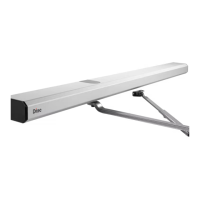
DITEC HA8-LP LOW ENERGY
SWING OPERATOR
Installation & Instruction Manual
READ AND FOLLOW ALL INSTALL
A
ATION INSTRUCTIONS CAREFULLY!
FAILURE TO DO SO MAY RESULT IN PERSONAL INJURY OR PROPERTY DAMAGE!
Install only on a properly operating and balanced door. A door that is operating improperly could cause severe
injury. Before installing the operator, have qualified service personnel make repairs to cables, and other hardware.
Before installing the operator, remove or make inoperative, all locks (unless mechanically and/or electrically
interlocked to the power unit), all activation units and accessories that may be connected to the door.
A commercial/industrial door operator that has exposed moving parts capable of causing injury to persons or
employs a motor deemed indirectly accessible by virtue of its location above the floor shall include:
- Install the door operator at least 2.4 m (8ft) or more above the floor, and/or
- If the operator must be installed less than 2.4 m (8ft) above the floor, then exposed moving parts must be
protected by covers or guarding provided by the operator manufacturer.
The control unit MUST be located: (1) within the sight of the door, and (2) at a minimum height of 1.5 m (5ft) above
the floors, landings, steps, or any other adjacent walking surface and (3) away from all moving parts of the door.
Install the Entrapment Warning Placard next to the control station in a prominent location if applicable.
To reduce the risk of injury to persons - Use this system only with pedestrian doors.
Do not connect the operator to a power supply until instructed to do so. Connection of the high voltage supply
should be done by a qualified professional and within the guidelines of the enforced local electrical codes.
HIGH VOLTAGE (INCOMING 115 VAC) WIRES AND LOW VOLTAGE WIRES CANNOT SHARE THE SAME
ACCESS HOLE. HIGH VOLTAGE WIRES MUST BE ROUTED AND SECURED AWAY FROM ALL LOW
VOLTAGE WIRES.
Entrematic Canada Inc. Entrematic USA Inc.
Toll Free: 1-877-348-6837 Toll Free: 1-866-901-4284

Questions and Answers

  • S
    Stephanie ThomasAug 18, 2025
    What to do if the Entrematic Ditec HA8 LP Door Opening System doesn't open after being triggered?
    • A
      Andrew TylerAug 18, 2025
      If your Entrematic Door Opening System isn't opening after being triggered, here are a few things to check: * First, ensure the power supply is on. The 7-segment LEDs should be lit. * Next, verify that the slide switch is set to RUN. * Also, check the activation situation selected, specifically setting A1. If the LED is ON for setting A1, ACT’N2 will only activate the door while it is closing and has not reached Latch. * Finally, confirm that the ON/OFF switch is properly connected, with a switch connecting the ON terminal pin to the OFF terminal pin.
  • L
    lsullivanAug 21, 2025
    Why Entrematic Ditec HA8 LP will not open?
    • K
      Kelsey AndersonAug 21, 2025
      If your Entrematic Door Opening System refuses to open, consider these potential causes: * Ensure the door is unlocked and that the main power is switched on. * Check for and remove any obstacles that might be preventing the door from opening. * Confirm that the 3-position switch is set to the Automatic position.
  • A
    albert47Aug 23, 2025
    What to do if Entrematic Ditec HA8 LP will not close?
    • M
      Maria StanleyAug 23, 2025
      If your Entrematic Door Opening System is not closing, you should: * Check for any obstructions in front of the door that might be activating the sensor (if equipped), thus keeping the door open. * Also, ensure that the 3-position switch is set to Automatic.
  • J
    John BennettAug 26, 2025
    How to fix the Push and Go function on Entrematic Ditec HA8 LP Door Opening System?
    • B
      brookewilliamsAug 26, 2025
      If the Push and Go function isn't working on your Entrematic Door Opening System: * Keep in mind that only an operator WITHOUT a clutch will work for Push and Go. Operators equipped with a clutch cannot provide Push and Go functionality. * Verify that the Push and Go function is enabled by checking setting A3. * Try reducing the Push and Go sensitivity, which can be adjusted via setting 6.
  • L
    Leah NguyenAug 28, 2025
    Why does my Entrematic Ditec HA8 LP Door Opening System open so slowly?
    • H
      Hector SmithAug 28, 2025
      If your Entrematic Door Opening System is opening slowly, consider the following: * Check whether the Back Check and Latching magnets are properly adjusted. * Increase the opening speed using function 0.
  • C
    Cheryl ConradAug 30, 2025
    How to troubleshoot programming function on Entrematic Ditec HA8 LP?
    • B
      Brenda CruzAug 30, 2025
      If the programming function is not working on your Entrematic Door Opening System: * Ensure the ON/OFF switch is correctly connected. A switch must connect from the ON terminal pin to the OFF terminal pin for programming to function. * Confirm that the slide switch is set to PROG to allow modification of programming options.
  • P
    Patricia KelleySep 1, 2025
    Why Entrematic Ditec HA8 LP does not delay when triggered?
    • S
      Susan JohnstonSep 1, 2025
      If your Entrematic Door Opening System isn't delaying when triggered, even with a delay time set: * Check if the LED is ON for program setting A1, as this indicates a special activation situation without a delay. * Note that only ACT’N 2 (Activation Trigger 2 input) will provide an opening delay. ACT’N1 (Activation Trigger 1 input) and the push button on the board will ALWAYS trigger instantly, regardless of the set time delay.
  • J
    jessica27Sep 3, 2025
    What to do if Entrematic Ditec HA8 LP Door Opening System does not open if triggered immediately after going into Latch?
    • N
      nicolemooneySep 4, 2025
      If the Entrematic Door Opening System does not open when triggered immediately after latching, increase the Safety1 inhibit time. See setting 8.
  • J
    Jeff BoydSep 6, 2025
    What to do if Entrematic Ditec HA8 LP does not open after triggered?
    • E
      Elizabeth JimenezSep 6, 2025
      To troubleshoot an Entrematic Door Opening System that won't open after being triggered, verify that the power supply is on (the 7-segment LEDs will light up). Ensure the slide switch is set to RUN. Check the selected activation situation in setting A1; if the LED is ON, ACT’N2 will only activate the door while it's closing and hasn't reached the Latch. Also, confirm that the ON/OFF switch is correctly connected from the ON terminal pin to the OFF terminal pin.
  • M
    mariahooperSep 8, 2025
    Why Push and Go function does not work on Entrematic Ditec HA8 LP?
    • S
      Stuart AliSep 8, 2025
      If the Push and Go function on your Entrematic Door Opening System isn't working, remember that only an operator WITHOUT a clutch will work. Operators with a clutch cannot provide Push and Go functionality. Also, check if the Push and Go function is enabled in setting A3 and consider reducing the Push and Go sensitivity in setting 6.

Summary

Operator Installation

Header Box Pre-Mounting

Step-by-step guide for disassembling and preparing the header box for mounting.

Control Board & Gearbox Installation

Details the placement and installation of the control board and gearbox.

Motor Wire Lead Connection

Guides the connection of motor and other wire leads to the control board.

Arm Installation

Push Arm Installation

Step-by-step instructions for installing the push arm assembly onto the door.

Pull Arm (Z-arm) Installation

Detailed steps for installing the pull arm (Z-arm) for left and right hand configurations.

Operator Tuning

Back Check & Latch Adjustment

Instructions for setting the back check and latch positions using proximity switches.

Testing with Obstruction

Obstruction Testing

Describes how to test the door's performance with an obstruction and adjust overload.

Control Board Settings

Control Board Programming

Programming Specification (Digital Board)

Outlines the procedure for changing program settings using the slide switch and buttons.

Safety Monitoring

Explains how safety monitoring functions work and how to set them up.

Dual Board Programming

ADA Adjustments

ADA Adjustments Overview

Details adjustments for opening speed, back check, activation time, and overload.

Entrematic Ditec HA8 LP Specifications

General IconGeneral
BrandEntrematic
ModelDitec HA8 LP
CategoryDoor Opening System
LanguageEnglish

Related product manuals