12
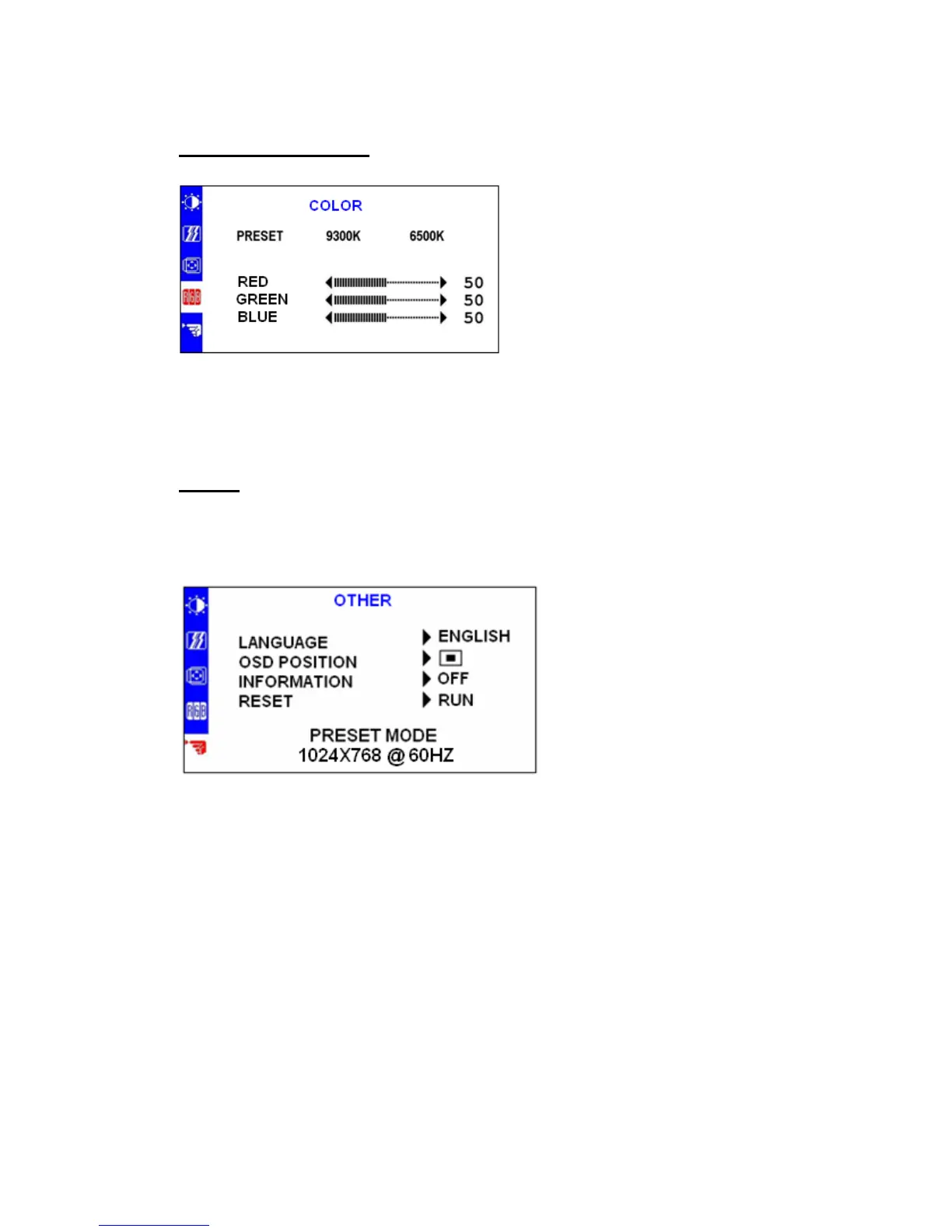
Color Adjustment
Other
There are three items for
color adjustment:
9300K: Bluish white
6500K: Reddish white
User defined:
Red, Green, Blue. Adjust to
set your own color level.
LANGUAGE:
Multi- Language selection
OSD POSITION:
Adjust the OSD window
position on the screen.
INFORMATION:
“ON” When changing screen
resolution setting( for example:
horizontal/ vertical refresh rate),
display information is briefly
shown on the screen and vice
versa.
RESET:
Recall to factory settings


 To Next Page
 Loading...