Page 10 Envoy Connect User Guide
until it turns itself off when the Battery level is too low.
The Player will remember your last reading position.
- Audio Indicator: The Player will emit various beeps
or chimes to provide audible confirmation of a button
press, player action or warning. For example:
• Power on and off (except for Sleep Timer off)
• Battery level, including low battery warning
• Volume minimum and maximum
• Rewinding or Fast-forwarding
• Last section in book
• Book deletion
• No books on the Player
• Sleep Timer settings
• Unable to play book
• Connecting or disconnecting from a wall charger
• Connecting or disconnecting from a computer
• Micro SD card insertion or removal
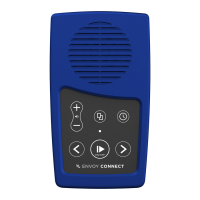
- LED Indicator: The green light above the Play button
provides visual information about the Player’s current
operational state. For example:
• Green light means the Power is on
• Blinks quickly when playback is paused


 To Next Page
 Loading...