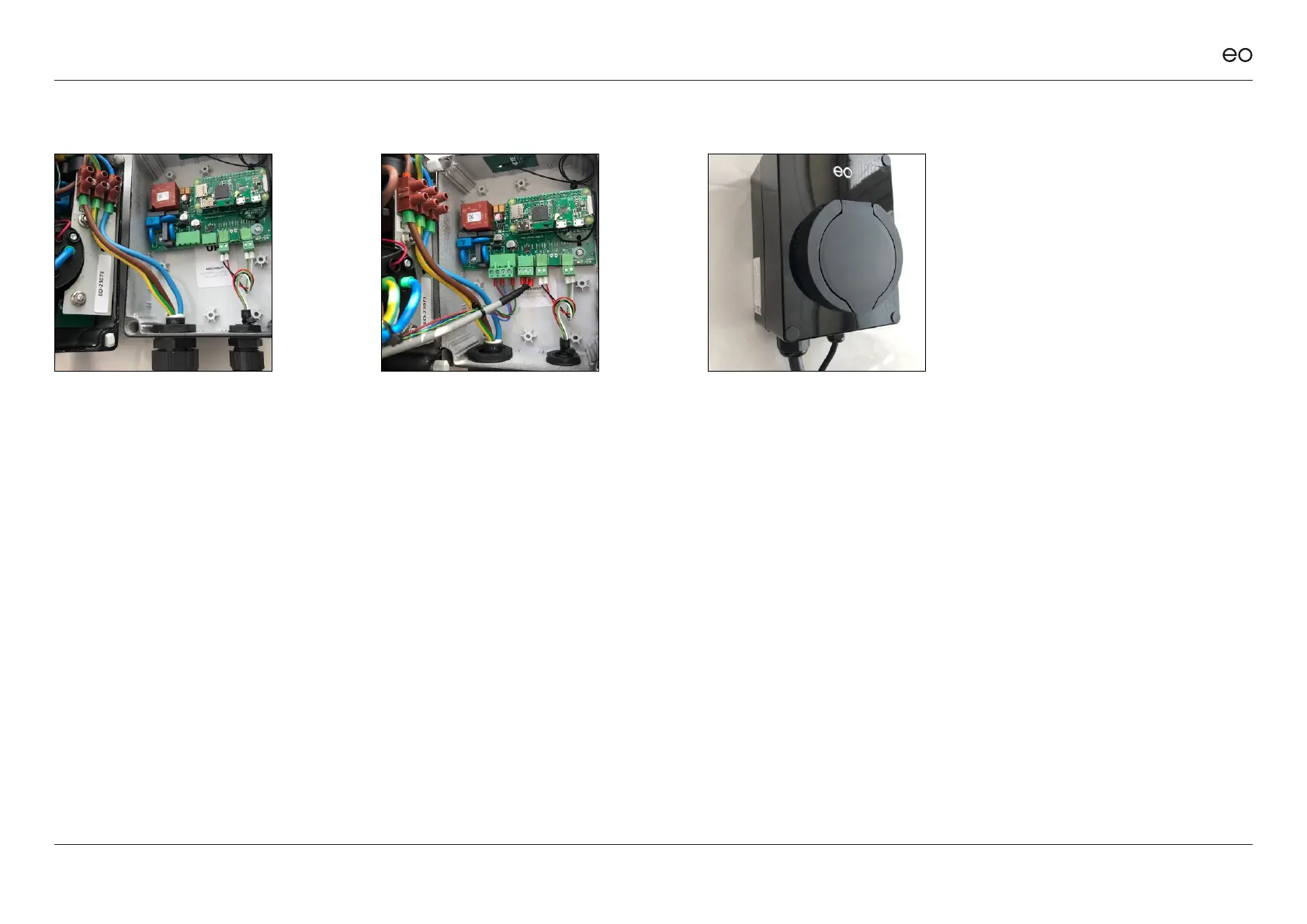
3.09
Connect the power cable to the
front of the EO Mini Pro 2.
3.10
Connect the Power Cable (four
pin plug) and the Comms cable
(three pin plug) from the front of
the EO Mini Pro 2 to the back of
the EO Mini Pro 2.
3.11
Position all cables so that you
can close the EO Mini Pro 2
front plate to the EO Mini Pro 2
back plate, making sure that no
cables are trapped. Secure the
EO Mini Pro 2 front plate to the
EO Mini Pro 2 back plate. Do
NOT over tighten the screws.
Ensure that the 4 plastic bungs
are inserted into the screw
holes.
EO Mini Pro 2 Installation & User Guide
© EO Charging 2020
The EO Mini Pro 2 is now
physically installed and the
connection to the EO Cloud
can now begin.
9



 To Next Page