DVD/CDDVD/CDDVD/CD
RADIORADIORADIO
TVTVTV
AUXAUXAUX
NAVINAVINAVI
BLUETOOTHBLUETOOTHBLUETOOTH
FM1 98.00MHZ
1 87.50MHZ
3 98.00MHZ
5 108.00MHZ
2 90.00MHZ
4 106.00MHZ
6 87.50MHZ
VOL 17
DVD/CDDVD/CDDVD/CD
RADIORADIORADIO
TVTVTV
AUXAUXAUX
NAVINAVINAVI
BLUETOOTHBLUETOOTHBLUETOOTH
FM1 98.00MHZ
1 87.50MHZ
3 98.00MHZ
5 108.00MHZ
2 90.00MHZ
4 106.00MHZ
6 87.50MHZ
PRE NEX LCD MON BAN AMS
VOL 17
Main Menu
Sub-menu for
present mode
Adjustment for the
selected parameter
6
PRE NEX AF TA PTY AMS
Touch sereen Operating Procedure
AUDIOAUDIOAUDIO
PICPICPIC
USERUSERUSER
BACKBACKBACK
BASS
TREBLE
BALANCE
FADER
EQ
0
0
C0
C0
FLAT
AUDIOAUDIOAUDIO
PICPICPIC
USERUSERUSER
BACKBACKBACK
BRIGHT
CONTRAST
SHARP
COLOR
HUE
50
50
50
0
50
PREV
LEFT
RPT
NEXT
RIGHT
RDM
PLAY
UP
PROG
STOP
DOWN
SUBP
MENU
ENTER
AUDIO
WAR HUNT
DVD RADIO TV AUX GPS BLUETOOTH
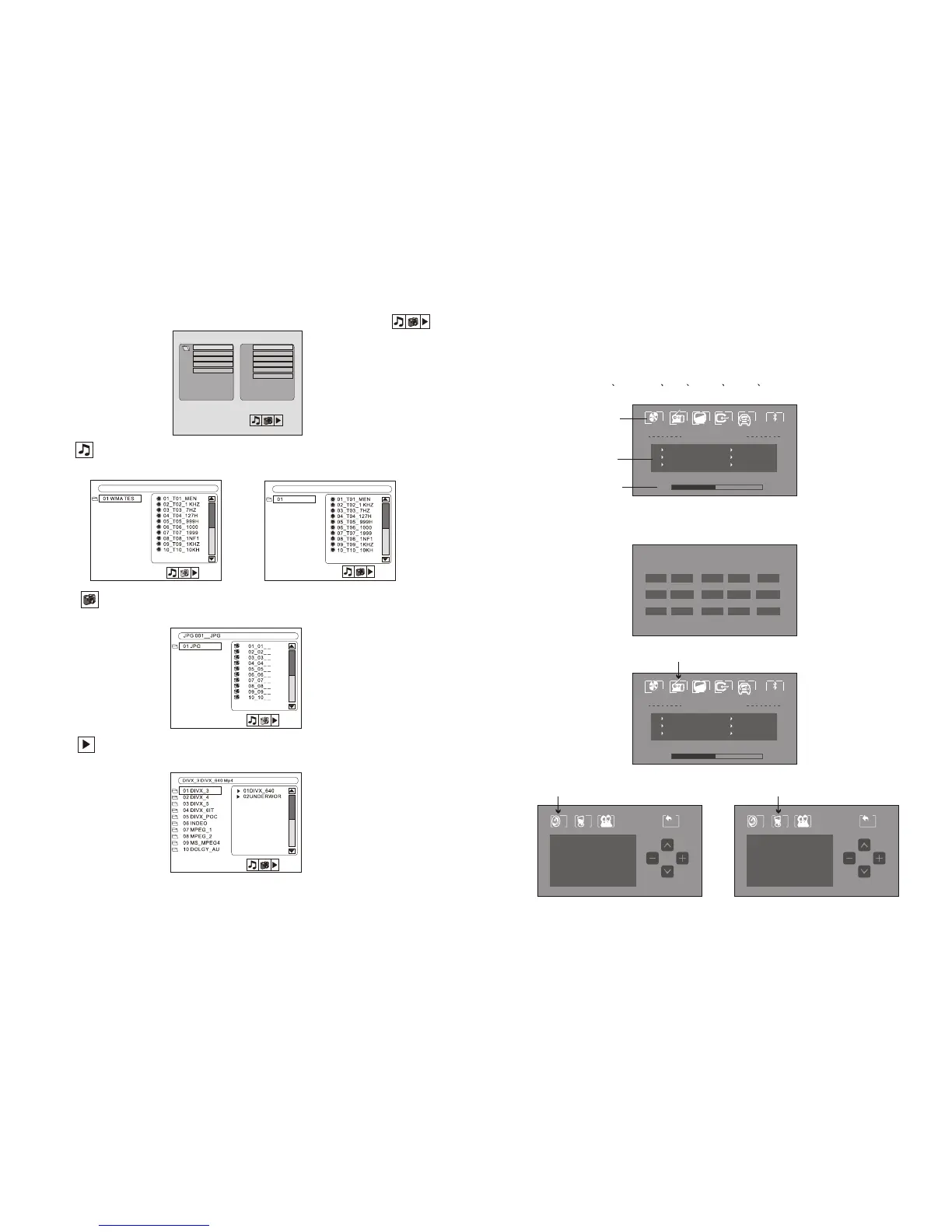
The main menu is shown as the icons on the touch screen panel. The icons are
representing:
Touch the DVD/CD icon to change to the DVD mode. If there is a disc already in
the unit, the content would be directly played. You can make adjustment through
the below sub-menu.
Touch the RADIO icon to change to the radio mode. You can make adjustment
through the below sub-menu.
Press “MENU” to enter the following menu in the radio mode.
MP3 01
MP3 02
JPEG 01
MP4 01
DIVX 01
01/ MP3 0001
01/ MP3 0002
01/ MP3 0003
01/ MP3 0004
01/ MP3 0005
01/ MP3 0006
MP3
Press LEFT/RIGHT in the following interface to select the list of
Select and press ENTER to enter the list of the WMA/MP3 playback.
Press PLAY to play the files continuously.
Select and press ENTER to enter the list of the JEPG playback.
Press PLAY to play the files continuously.
Select and press ENTER to enter the list of the MP4 playback. Press
PLAY to play the files continuously.
9



 To Next Page