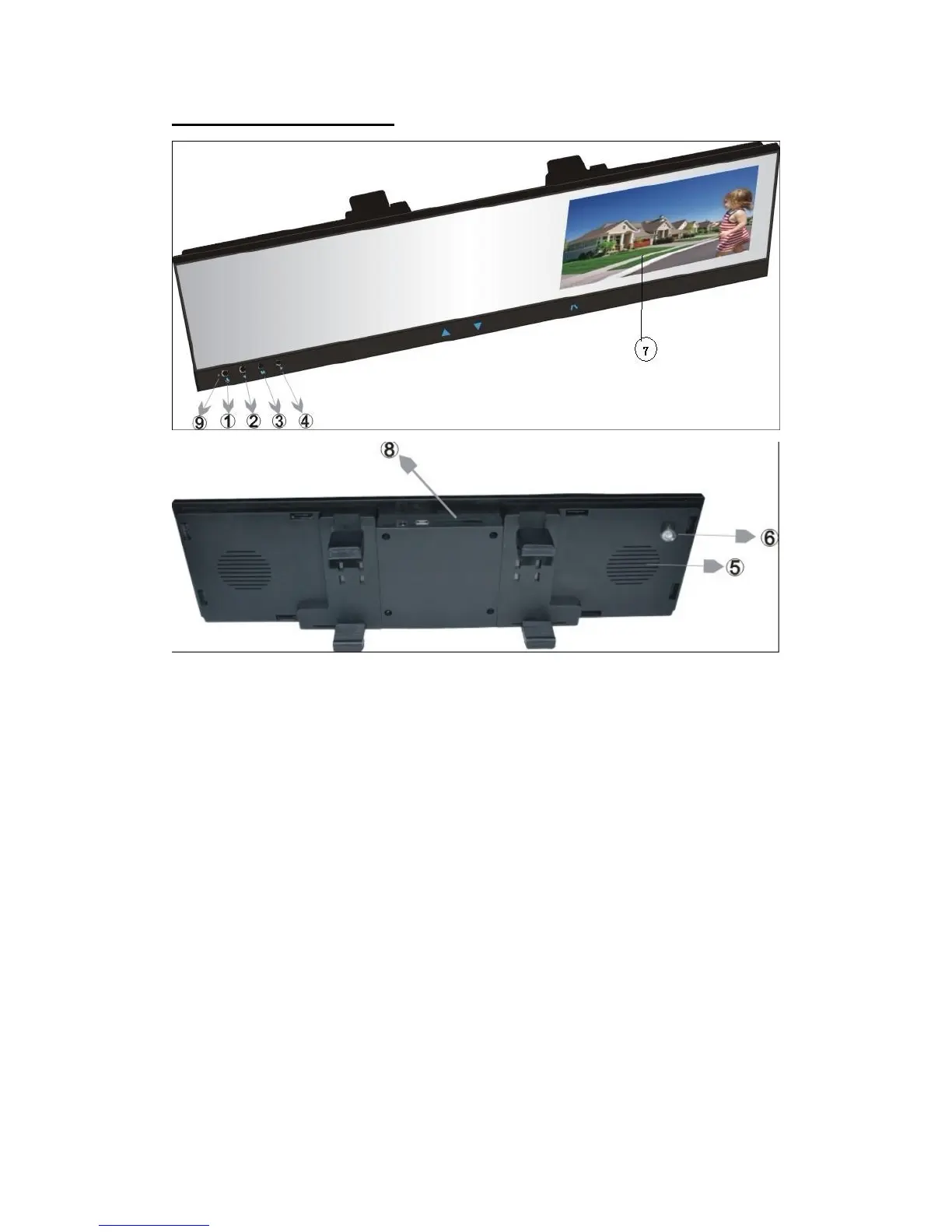
☞Appearance of DVR
1. Power Button:
*Short press used for starting up or Opening menu,
*Long press used for Shutting down DVR.(for 3 seconds)
2. Video Button:
*Short press used for Video or entering next option.
3. Menu Button:
*Short press used for “Select/Play/Pause”,
*Long press used for changing work mode between video mode and
playback mode.
4. Snapshot Button:
*Short press used for snapshot or entering last option.
5. Speaker
6. Lens
7. 4.3” color TFT LCD
8. TF Card Slot
9. working lights



 To Next Page