31
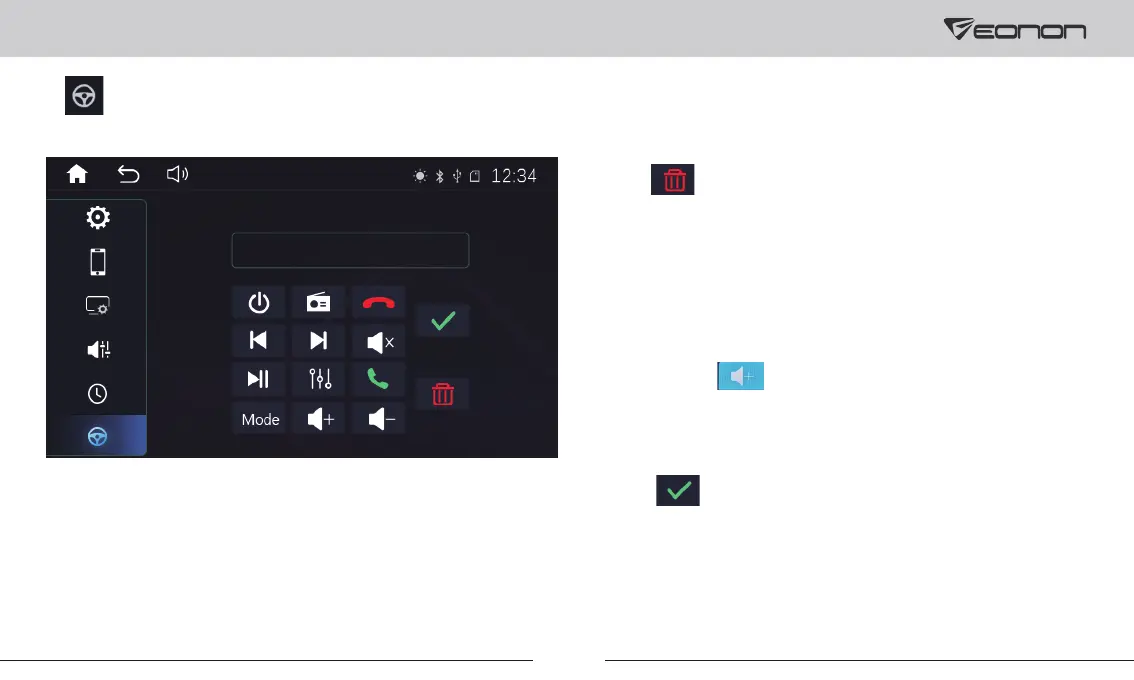
6. Steering Wheel Control Settings
Please set button functions on the steering wheel according to the following steps.
① Connect SWC wires KEY1-5V/KEY2-5V of the car stereo to
your car SWC wires.
② Tap to erase all data.
③ Press the button that needs to be set on the steering wheel.
④ Tap the button corresponding to the function on the car
stereo screen.
⑥ Repeat 3-5 times to complete the settings of all buttons.
⑦ Tap to finish the settings.
⑤ It’s set successfully once the button color on the car stereo
turns blue (like ).
Note: The SW control function of this car stereo is controlled
by analog signal. If your car is controlled by digital signal,
then a SW control adapter cable is needed to transfer the
digital signal to analog signal.



 To Next Page