Interphone
Interphone
button
11
12
5.4.
5.5. Mute mode
5.6. Automatic recording by motion detection (SD4 Model only)
In standby mode, the device will take a video automatically with 10 seconds interval
when the system detects a motion.
* MD+ terminal MUST be connected for this feature.
* When there are more than one door station in the system with FUTURO-CPU4,
this feature is only available to the very first door station.
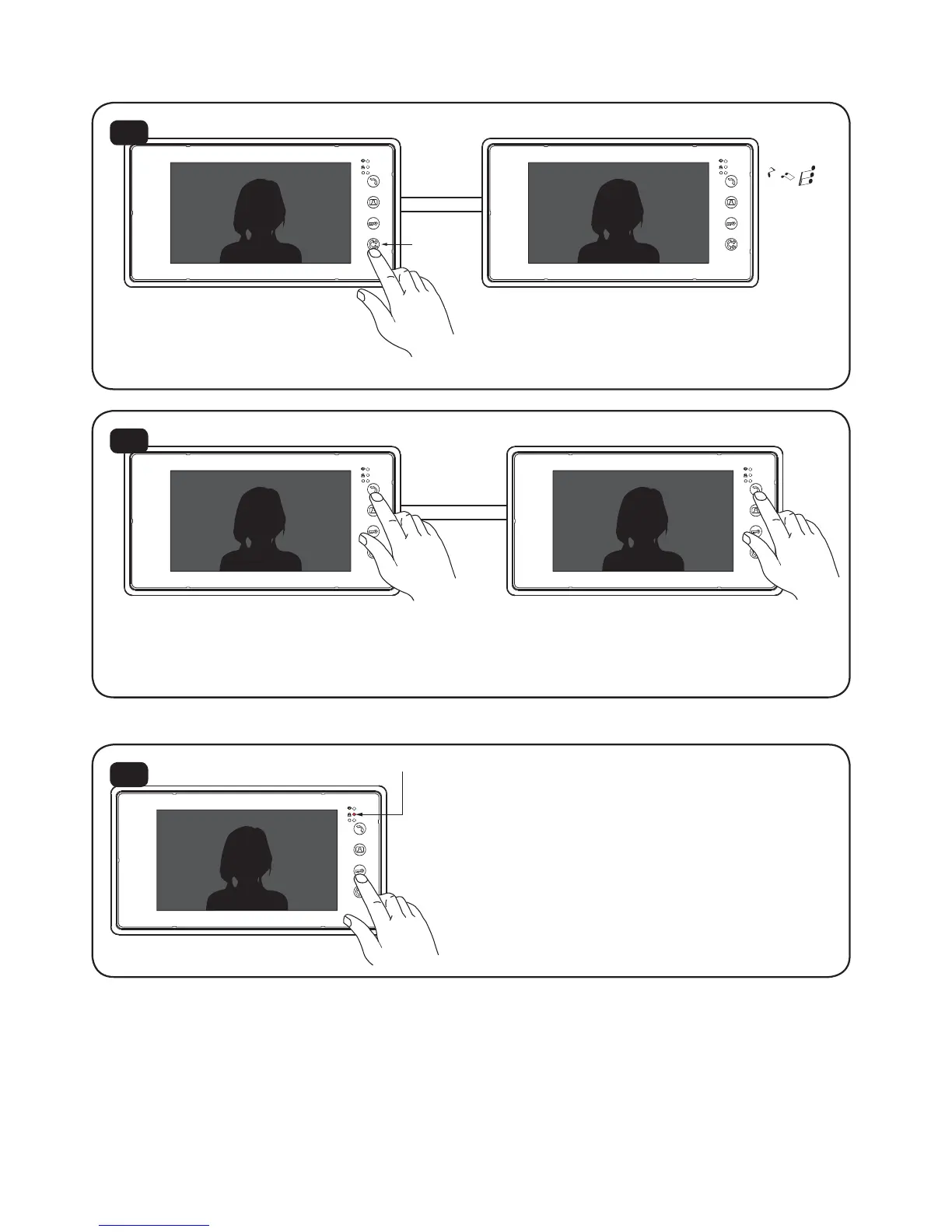
When you press ’Interphone’ on one
monitor, the other monitor in the
house will ring.
13
To answer, press ‘Talk’ button on the called monitor.
Press ‘Talk’ again to end the talking.
Mute indicator light on
11
During the standby mode, long press
“Door Open” button for 4s to mute
the ringtone. To un-mute, just long
press ‘Door Open’ button again
for 4 sec.
Calling Monitor Called Monitor
Calling Monitor Called Monitor


 To Next Page
 Loading...