19
18
17
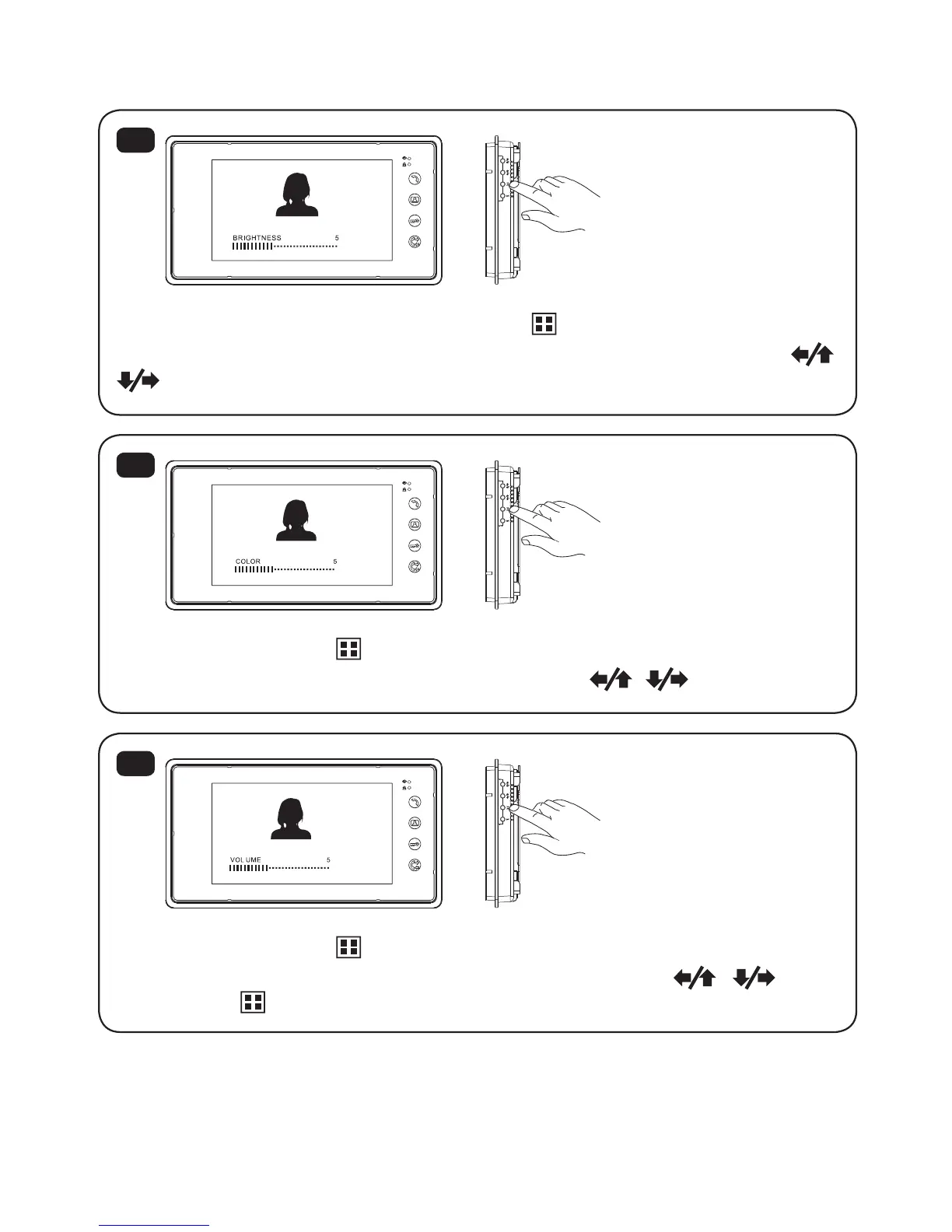
5.8 Brightness / Color / Talking volume setting ( SD4B Model ONLY )
When the monitor is turned on, press ”Menu ”button and “BRIGHTNESS...”
will show on the screen. If you need to adjust the brightness, please press
When you press”Menu ”for the second time, “COLOR...”will show on the
screen. If you need to adjust the color, please press
When you press”Menu ” for the third time, “VOLOME...”will show on the
screen. If you need to adjust the talking volume, please press
Press “Menu ”again to save and exit .
13
* See Page 15 for FUTURO-SD4 Brightness / Color / Volume adjustment.


 To Next Page