14
6. GUI Menu setting
(FUTURO-SD4 Model Only)
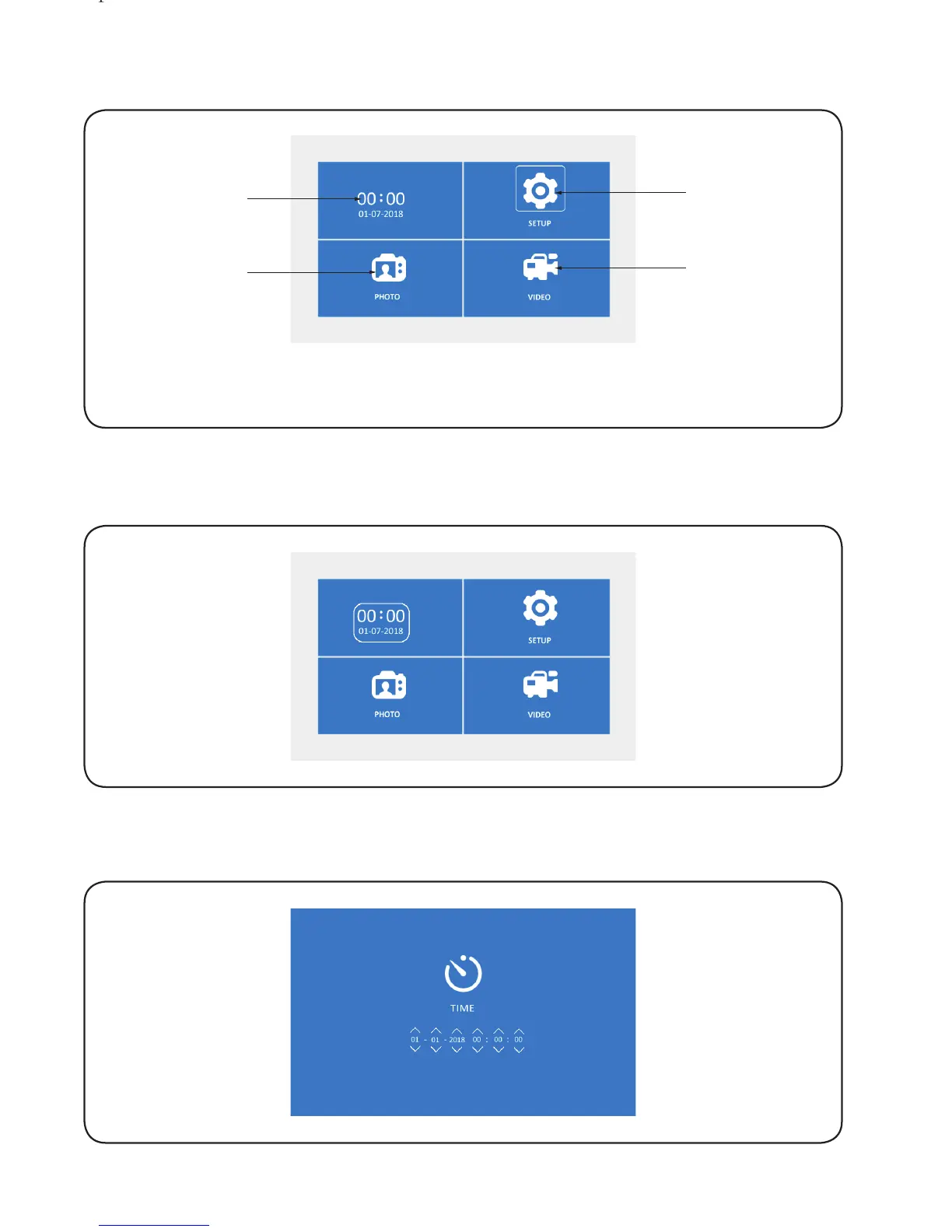
In standby, press any button at the right hand side to enter the menu and press
‘Left/Right’ button to select the required icon.
6.1. Date and time setting
6.1.1. Select ‘Date and time’ and then press ‘OK’.
Setup
Video
checking
Date and
time setting
Photo
checking
6.1.2. Press ‘OK’ to select the required icon and then press ‘left/right’ to adjust the
values, press ‘return’ to save and exit.
Lorem ipsum


 To Next Page