15
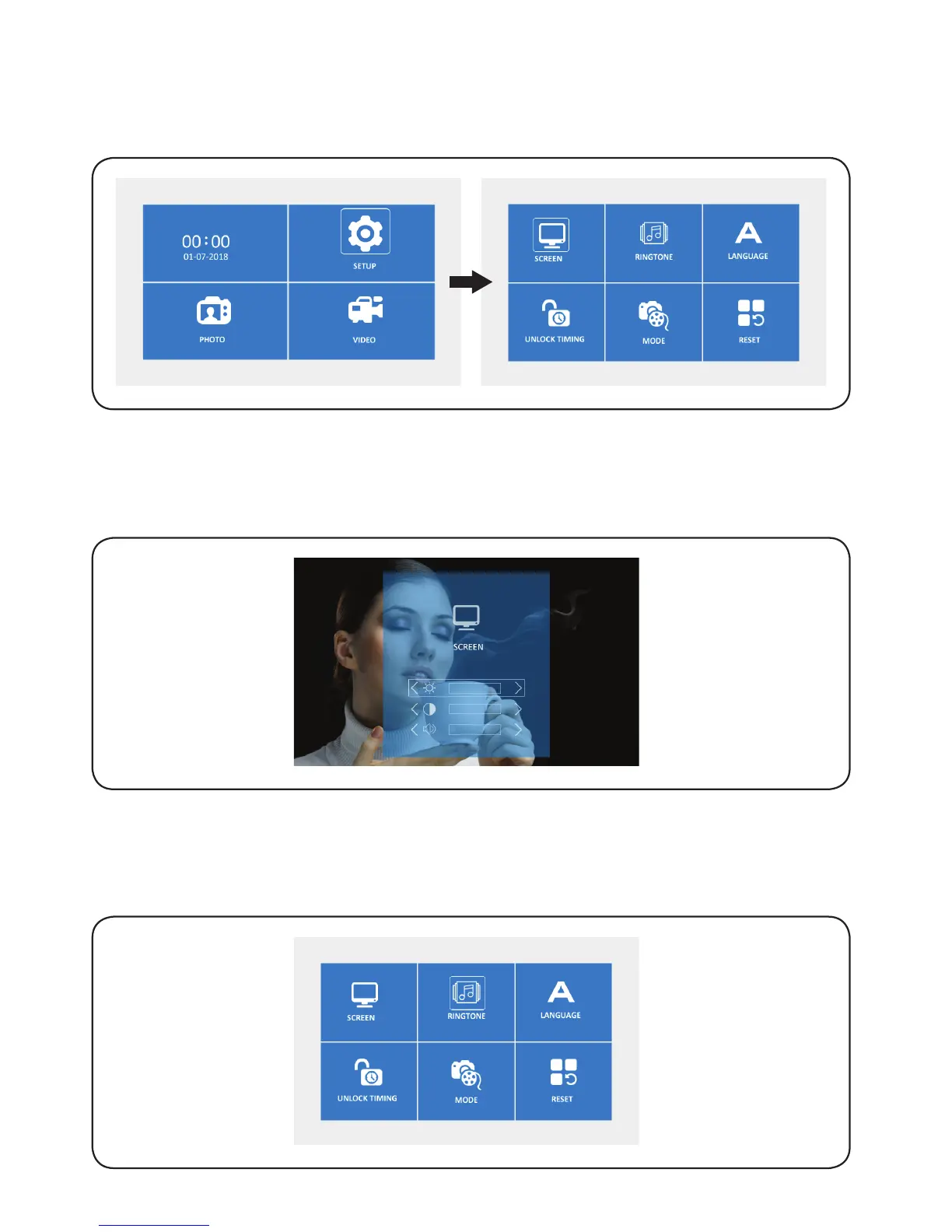
6.2. SETUP
Press ‘left/right’ to select ‘Setup’ icon, and then press ‘OK’ to confirm and access
the selected setting. Select ‘Screen’ icon and press ‘OK’ to enter next menu.
6.3. SCREEN
Press ‘OK’ to select ‘color’, ‘brightness’ or ‘Speaker volume’ icon, and then press
‘left/right’ to adjust the values, press ‘return’ to save and exit.
6.4. RINGTONE
6.4.1. Press ‘left/right’ to select ‘Ringtone’, and then press ‘OK’ to confirm and
access the selected setting.


 To Next Page