9
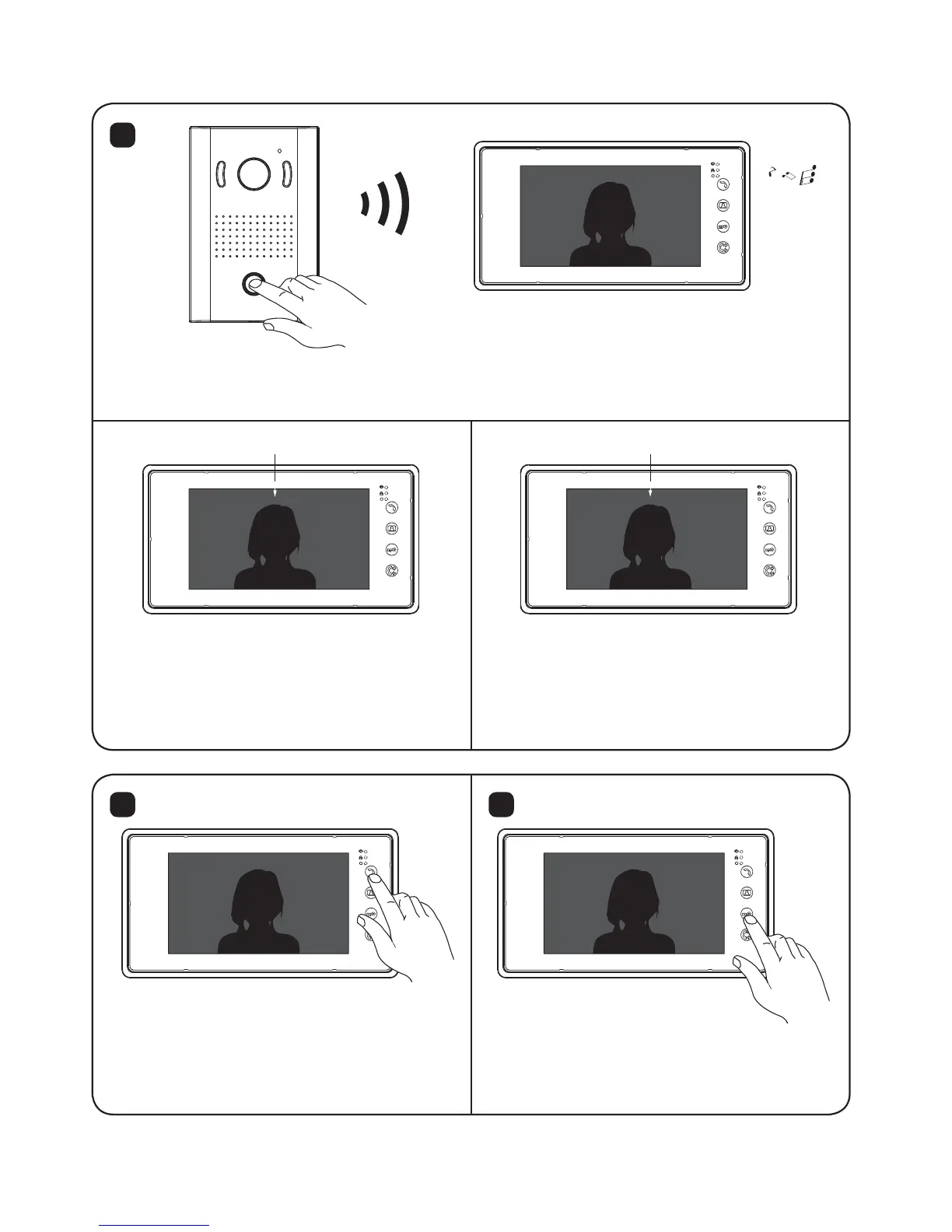
5.2. Calling / Talking / Unlocking
Press the “Call” button
on the outdoor station
The calling sound rings from
indoor monitors with visitor’s image
shown on the screen
5
Photo icon
When the video icon appears ( in
Video mode), the monitor will take
a video and the time for video can
be set in the Mode. (SD4 Model Only)
When the photo icon appears, the
monitor will automatically take two
photos. (SD4 Model Only)
Video icon
Press the ‘Door Open’ button
to open the door for visitors.
6 7
Press the ‘ Talk’ button to talk with
visitors. Press ‘Talk’ again and you
can end the call.
Talking time:about 120Sec


 To Next Page