POWERED BY
11
SERIESSERIES
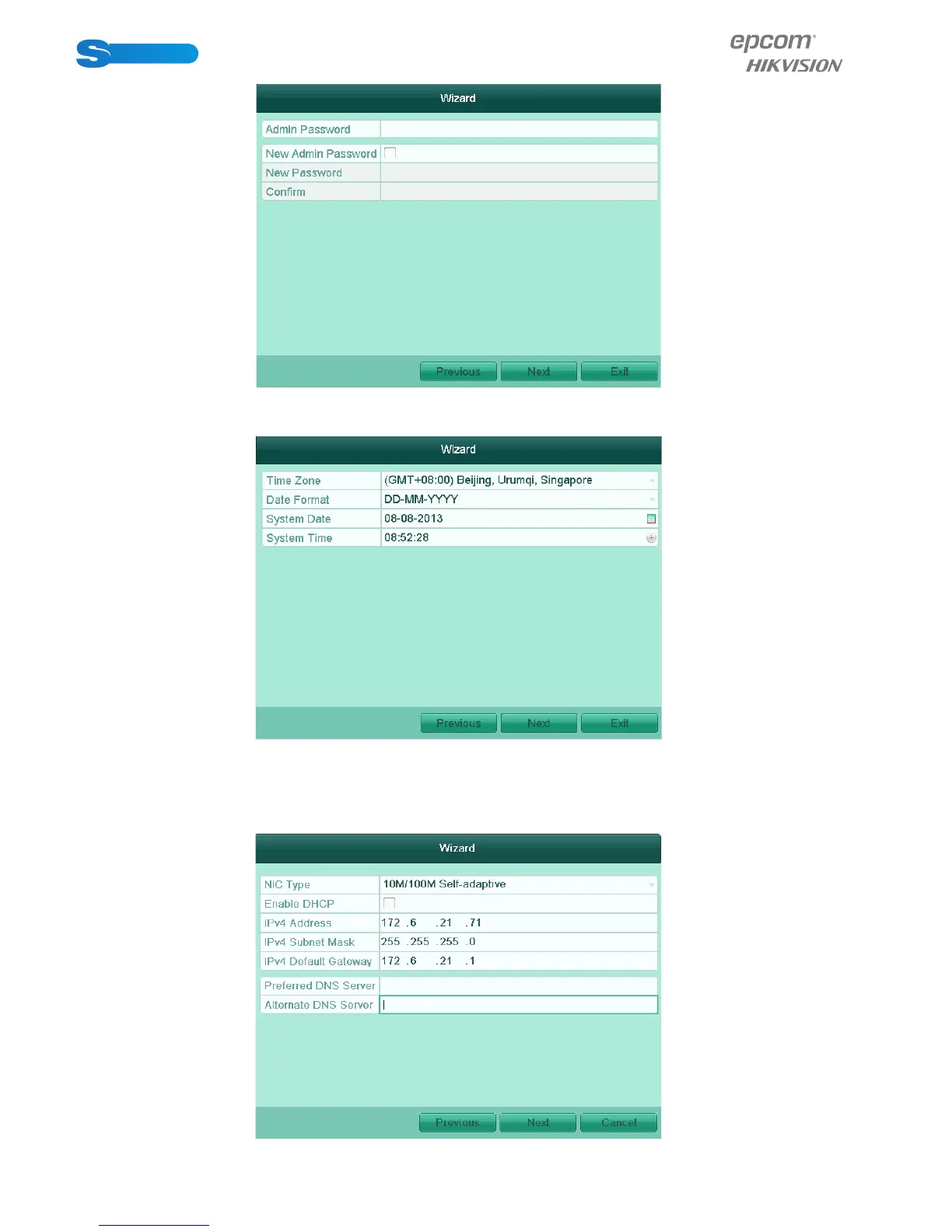
3. Click the Next button to enter the Date and Time settingswindow. Set the time zone, date
format, system date and system time.
1. Click Next button which takes you back to the NetworkSetup Wizard window.
Set the network parameters, including the NIC type, IPv4 address, IPv4 subnet mask, default
gateway, etc. You can enable the DHCP to automaticallyobtain an IP address and other
network settings from that server.



 To Next Page