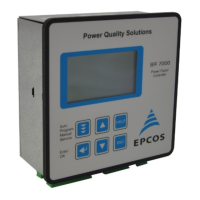
Section 5: DISPLAY OF GRID PARAMETERS
5.1 Display of 3 selected grid parameters
In Auto-Mode, button é leads to display mode 1. Here 3 (free selectable) grid parameters
are displayed in large letters. The selection and storage of these values is done in the
Display- Editor.
Example: Display mode 1:
Desired values selected in the
Display Editor (see section 16 )
5.2 Display of particular grid parameters (from AUTO-MODE by pressing ENTER)
By repeated activation of the “ENTER”-button (in automatic operation) several grid
parameters can be displayed (s. table below):
Action Display Unit in% large display Bargraph 3-phase
possible possible
ENTER 1 LINE VOLTAGE V x x
ENTER 2 APPARENT CURRENT A x x x
ENTER 3 REACTIVE POWER kvar x x x
ENTER 4 ACTIVE POWER kW x x x
ENTER 5 APPARENT POWER kVA x x x
ENTER 6 DIFF. kvar to target kvar x x x
ENTER 7 FREQUENCY Hz x x
ENTER 8 TEMPERATURE °C / °F x
ENTER 9 3.-31. HARMONICS V/ I x x x
ENTER 10 HARMONICS THD-V/I x x x
ENTER 11 Comp.- power (only at real capacitor current measurement)
ENTER 12 ENERGY kvarh / kWh
ENTER 13 TIME / DATE é / ê change the date format
ENTER 14 Software version
ENTER return to: 1
Buttons é / ê change the display format:
The values can be displayed in their unit, in % or as large display resp. bar chart.
Examples, see next page.
- 9 -
AUTO-MODE 2/2
14
137
140
kvar
kW
kVA
Q
P
S


 To Next Page
 Loading...