5
Data Collection
5.1
Operation Software Installation
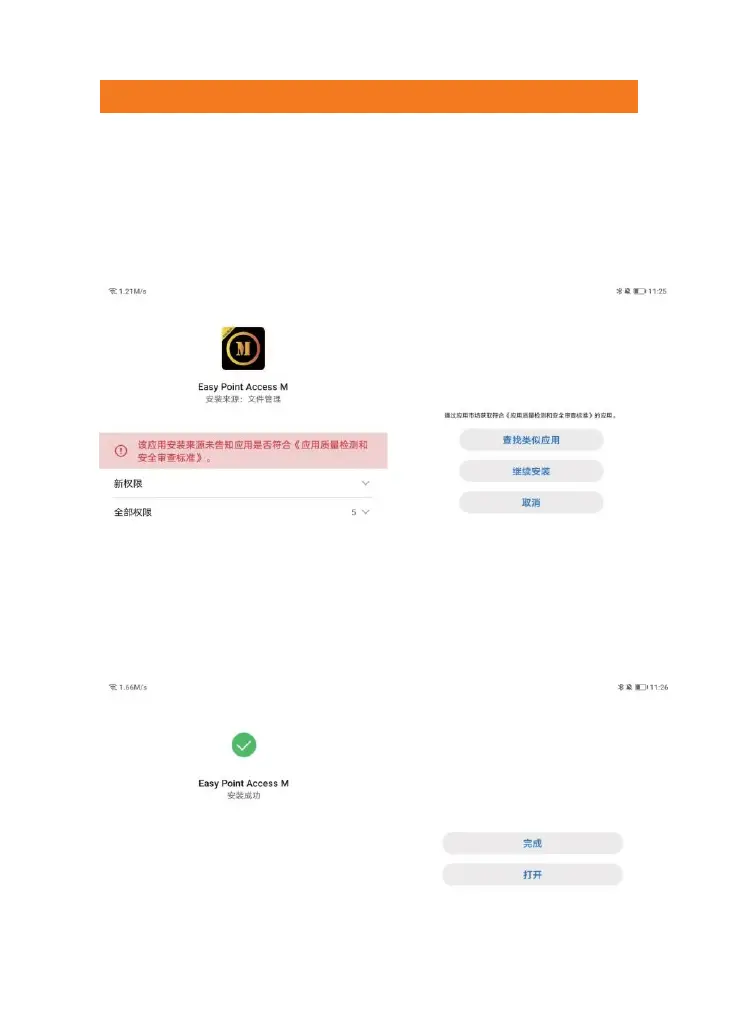
Insert the USB flash drive into the PC. Copy the "Easy Point Access M
xxxx.apk" installation package from the USB flash drive to the PC. Connect
your phone to the PC using a USB cable and copy the installation package
to the "download" folder on your phone. Finally, access the "download"
folder on your phone, select the installation package and click "install".
Pic. 5-1 Operation Software Installation
And authorize the required permissions for the software in the pop-up
permission dialog box. If you do not authorize them, some functions of the
software may not be available. Click "Continue Installation" and wait for the
software to finish installing.
Pic. 5-2 Operation Software Installation



 To Next Page