3 Instructions for use
3.1 Software installation
System requirements
The epiCam Patient Manager requires:
• A personal computer (PC) with a 32-bit or 64-bit x86 compatible processor
• Microsoft Windows Vista, Windows 7 or Windows 8/8.1
• At least 1 GB of RAM
• A free USB 2.0 (or 3.0) port
• As much free disk space as necessary for image storage and at least 8 MB for installation. Each
image can range in size from 500 to 1200kb and is store in png format.
• An active Internet connection to connect to epipole's cloud service
Limitations and restrictions
• The software can only operate a single epiCam. Do not attempt to use with more than one
device.
• The software product does not encrypt images or patient data stored on your PC system.
• You, the user, are responsible for safe and secure storage of all data.
• For best viewing it is recommended that the computer screen resolution is at least 1280 x 1024
Be aware that the capture software may not display the feed from the camera at full-frame rate on
overloaded PC systems.
Installing the software
• Insert the USB drive supplied with the epiCam into an USB port on your laptop or computer.
• The USB drive includes the installation file for the software (file ends in .exe). Run the installer by
double clicking on it.
• Accept the dialog to install the software.
• Read and agree to the license to use.
• Select where the software should be installed.
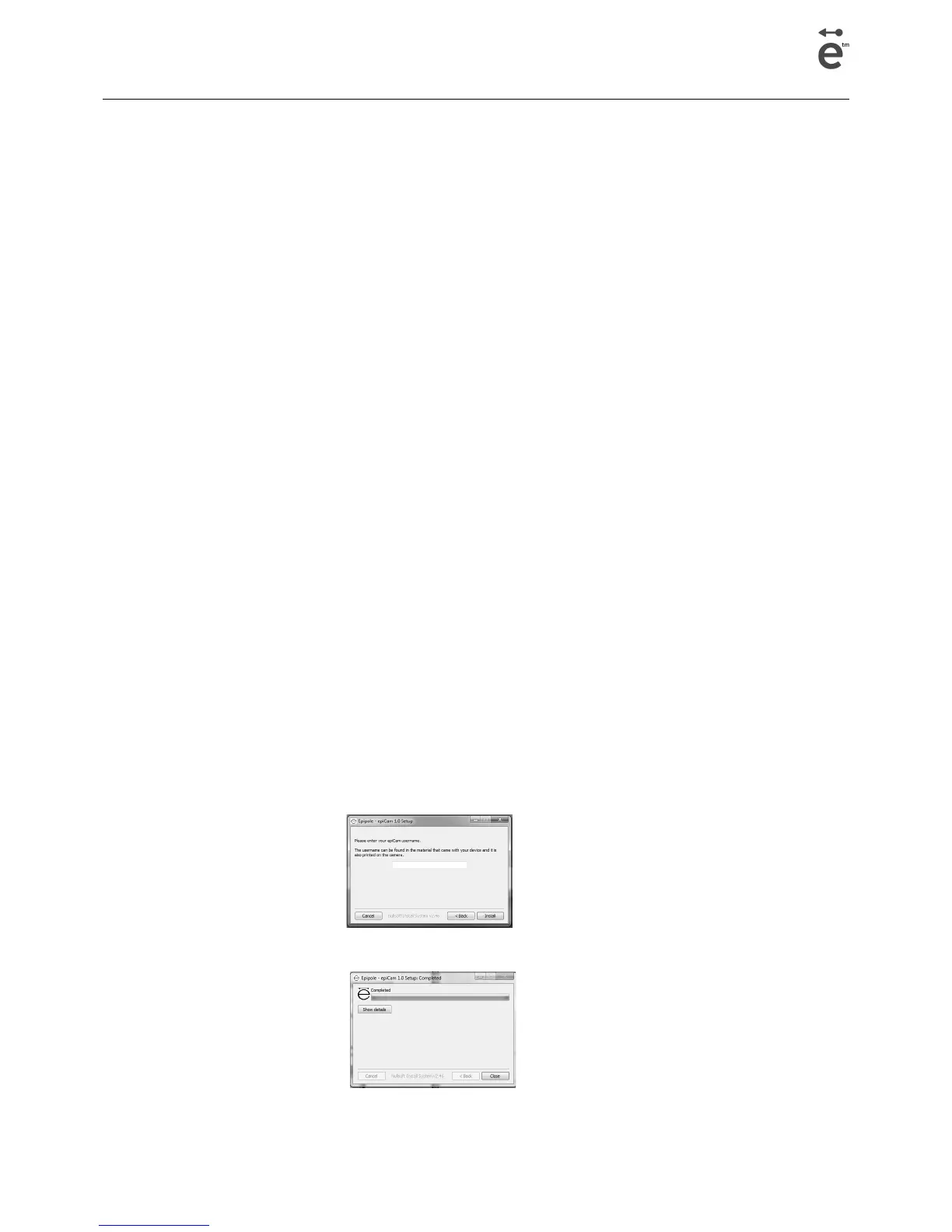
• A dialog will open asking for the username. This can be found on the card shipped with the
device. It is also printed on the silver label on the epiCam. The username is 6 characters long.
• When install is complete the Close button will become active:
• Once the software is installed, the following dialog will be display:
Page 7 epiCam H3 version 1.0



 To Next Page