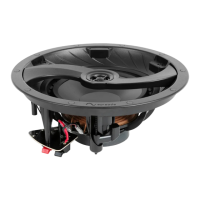
Adjust the sound
Use the switch on the face of the speaker for sound adjustment. Switches
can vary by model.
Treble/Bass Switch: Select + or ‒
NOTE: The default setting is +1.5dB.
In furnished rooms, it is recommended to set to + to increase response by
+1.5dB.
In more open spaces, it is recommended to set to ‒ to decrease response
by -1.5dB.
Bipole/Dipole Switch (Surround Only): Select BI or DI
In spacious rooms with a balanced speaker arrangement, it is
recommended to set to BI for in-phase output, which produces more
direct sound.
In rooms with varied arrangement, it is recommended to set to DI for
out-of-phase output, which produces more reverberating sound.
NOTE: Preference subject to opinion.
Dialogue Enhancement Switch (LCR Only): Select ON or OFF
Select ON for enhanced dialogue and clear speech.


 To Next Page