User Manual EE820
CO
2
Sensor for Demanding Applications | 8
4.2.3. EE820 with conduit connection
EE820 with conduit connection use a flat screwdriver to knock open the blind, carefully, in order to avoid
damaging the electronics inside the enclosure. The conduit adapter is not included in the scope of supply. The
M16x1.5 opening for the cable gland shall be tightly closed using the blind plug included in the scope of supply.
5 Setup and Configuration
The EE820 is ready to use and does not require any configuration by the user. The factory setup of EE820
corresponds to the type number ordered. For ordering guide please see data sheet at www.epluse.com/ee820.
If needed, the user can change the factory setup by using the Product Configuration Software EE-PCS (available
for free download at www.epluse.com/configurator) and the optional USB Configuration Adapter (HA011066). One
can change CO
2
output signal, scaling of the outputs and perform CO
2
adjustment / calibration.
5.1 Changing the Analogue Output Signal with DIP Switch
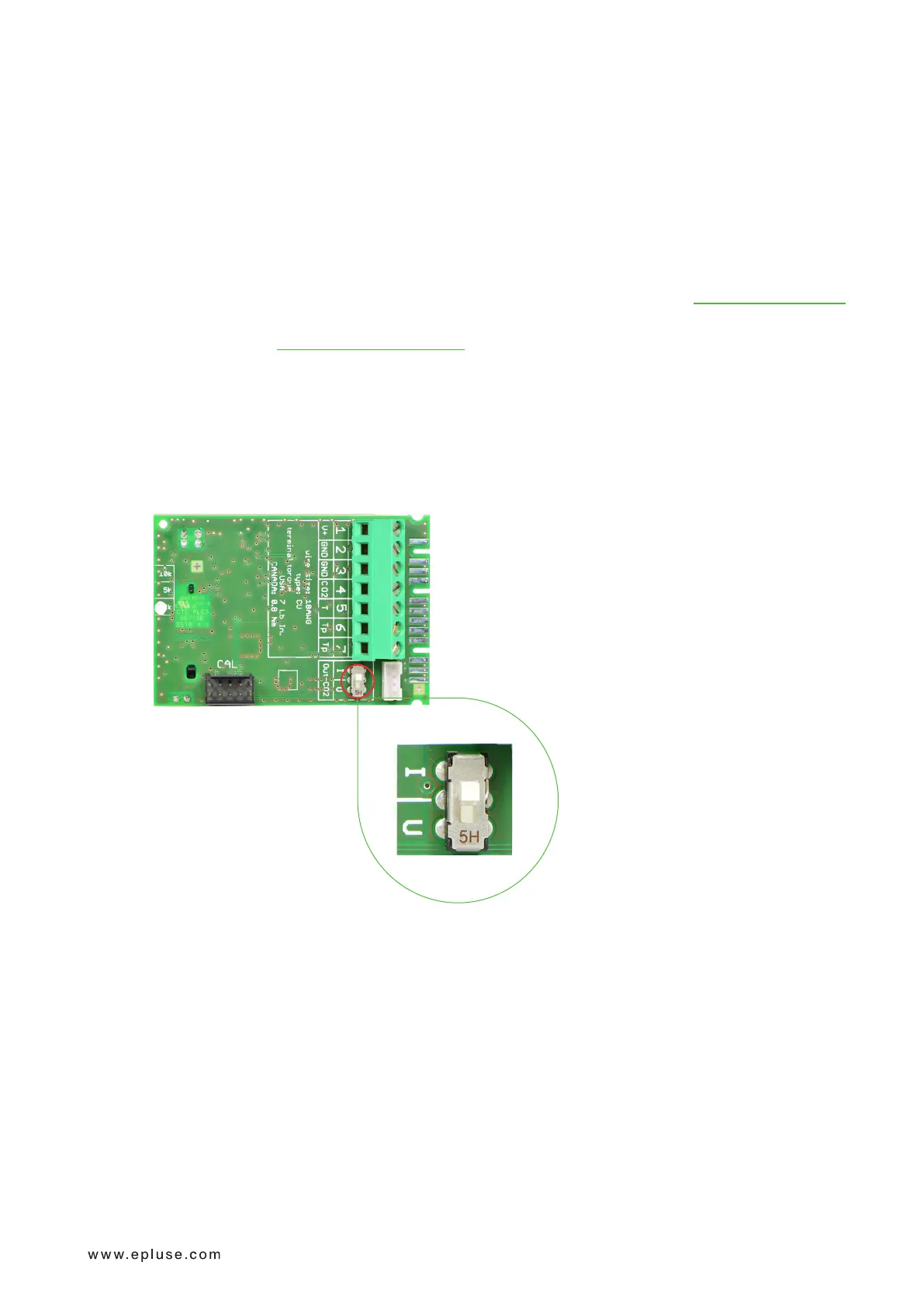
The output signal can be changed from voltage to current or vice versa.
Set the output signal selection switch to I for current 4 - 20 mA output or to U for voltage 0 - 10 V output. The
original CO
2
output range does not change and the calibration data remains valid.
Fig. 3 DIP switch for output signal selection
Example
Factory setup:
Voltageoutput(U),outputscale:0-10V=0...5 000ppm
User setup (after setting the output signal selection switch to I):
Currentoutput(I),outputscale:4-20mA=0...5 000ppm


 To Next Page