User Manual EE820
CO
2
Sensor for Demanding Applications | 9
5.2 Changing the Output Scale with EE-PCS
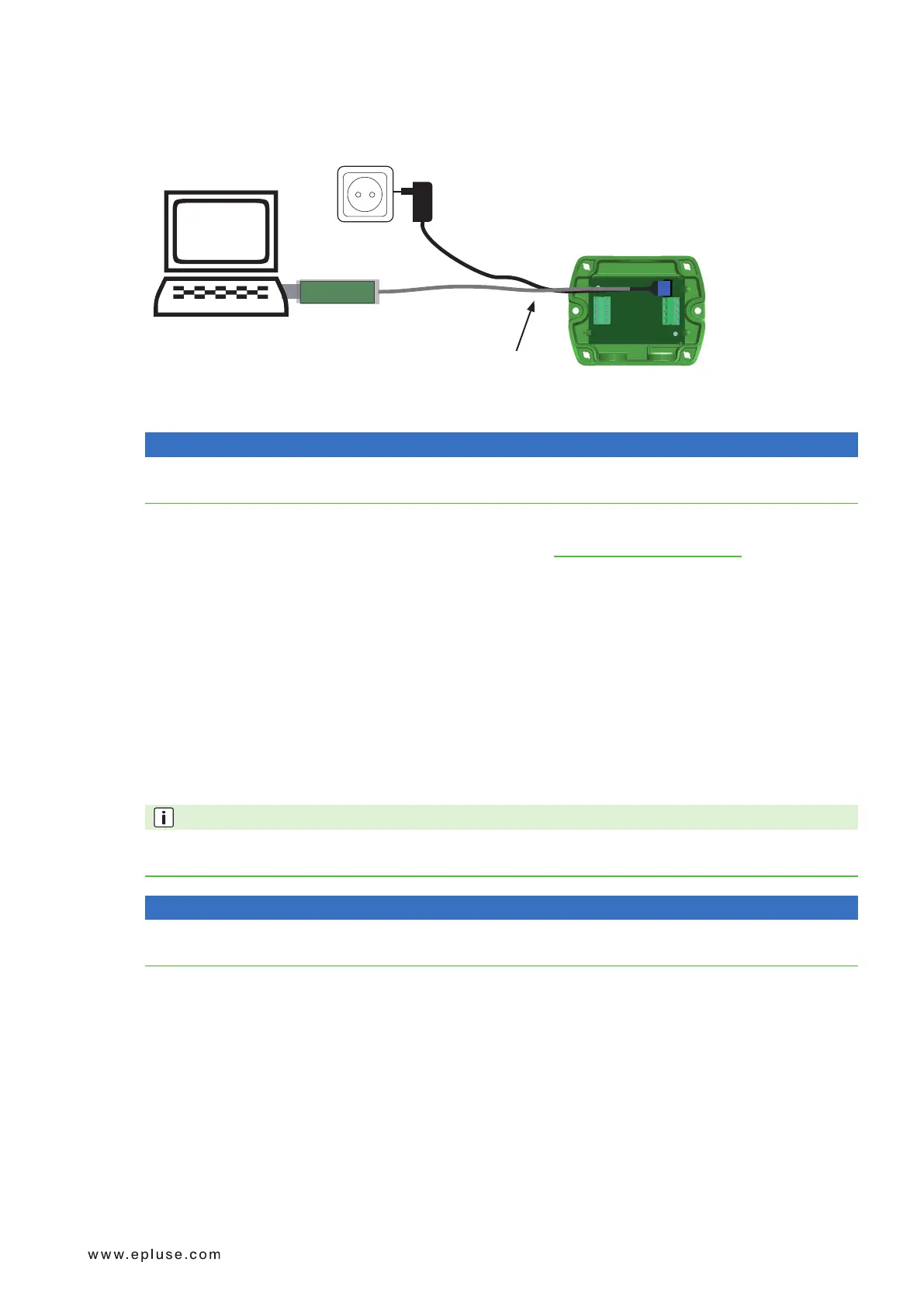
The scaling of the output can be changed by using the USB Configuration Adapter (HA011066) and EE-PCS.
PC
HA011066
Fig. 4 EE820 connected to a PC running EE-PCS
NOTICE
The EE820 may not be connected to any additional power supply when using the USB configuration adapter
HA011066.
To use the software for performing adjustments and changes in settings, please proceed as follows:
1. Download the EE-PCS Product Configuration Software from www.epluse.com/configurator and install it on the
PC.
2. Connect the E+E device to the PC using the USB configuration adapter.
3. Start the EE-PCS software.
4. Follow the instructions on the EE-PCS opening page for scanning the ports and identifying the connected
device.
5. Click on the desired setup or adjustment mode from the main EE-PCS menu on the left and follow the online
instructions of the EE-PCS
Example
Theinitialscalingoftheoutputis4-20mA=0...5 000ppm.
Theoutputscaleafterthechangecanbe4-20mA=400...4 000ppm.
PLEASE NOTE
Afterchangingthefactorysetup(outputsignaland / oroutputscale)theoriginaltypenumberontheEE820
identification label loses its validity; it does not match any longer the device setup.
NOTICE
ThereturntofactorysetupfunctionofEE-PCSrestorestheoriginaladjustment / calibrationofthedevice,but
does not affect the user setup for output signal and output scale.


 To Next Page