EasyManua.ls Logo

Epomaker EVERGLIDE SK68 - User Manual

Epomaker EVERGLIDE SK68
18 pages
Print Icon
To Next Page IconTo Next Page
Loading...
QUICK START GUIDE
EN
Manufacturer: Shenzhen Changyun Technology Co., Ltd.
Address: Seventh Floor, Kai Daer Building, No.168 Tongsha
Road, Xili Street, Nanshan Disctrict, Shenzhen,Guangdong, CN
Email: support@epomaker.com
Web: www.epomaker.com
Made in China
EC REP
APEX CE SPECIALISTS LIMITED
Address: UNIT 3D NORTH POINT HOUSE, NORTH POINT
BUSINESS PARK, NEW MALLOW ROAD CORK, T23 AT2P,
IRELAND
Contact: Wells
Tel: +353212066339
Email: info@apex-ce.com
This Quick Guide is an introduction to the use and functionality of the EPOMAKER Everglide SK68
For the software download, please visit the ocial epomaker website at https://epomaker.com/pages/software-downloads
Should you require more assistance please email us at support@epomaker.com
65% Hot-Swap Wired/Wireless Mechanical Keyboard Kit
RoHS
COMPLIANT
Created by Heipi
from the Noun Project
Created by Loren Klein
from the Noun Project
EVERGLIDE SK68
EPOMAKER
Question and Answer IconNeed help?

Do you have a question about the Epomaker EVERGLIDE SK68 and is the answer not in the manual?

Summary

Keyboard Shortcuts and Functions

General Shortcuts

Provides a list of FN key combinations for common keyboard functions and operations.

Connection Modes

Details FN key combinations for switching between USB and Bluetooth connection modes.

Backlight Settings

Lists FN key combinations for controlling backlight effects, brightness, and power.

Function Guide

Change RGB Effects

Explains how to switch RGB lighting effects using the FN+Tab key combination.

Bluetooth Pairing

Provides instructions for pairing the keyboard with Bluetooth devices via specific FN key presses.

Driver Runtime Environment

Specifies the recommended operating systems for the keyboard's software.

Replacing Keycaps and Switches

Switch Removal

Step-by-step guide on how to safely remove mechanical switches using the provided tool.

Switch Installation

Instructions for correctly installing new mechanical switches, ensuring proper alignment and connection.

Technical Assistance and Warranty

Technical Assistance

Contact information and procedure for obtaining technical support for the keyboard.

Community Forums

Links to online communities for users to connect with other keyboard enthusiasts.

Product Warranty

Details the warranty coverage, terms, and conditions for EPOMAKER products.
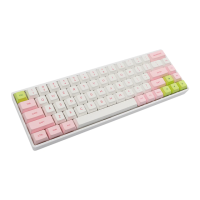
Epomaker EVERGLIDE SK68 Specifications

General IconGeneral
BrandEpomaker
ModelEVERGLIDE SK68
CategoryKeyboard
LanguageEnglish

Related product manuals