EN
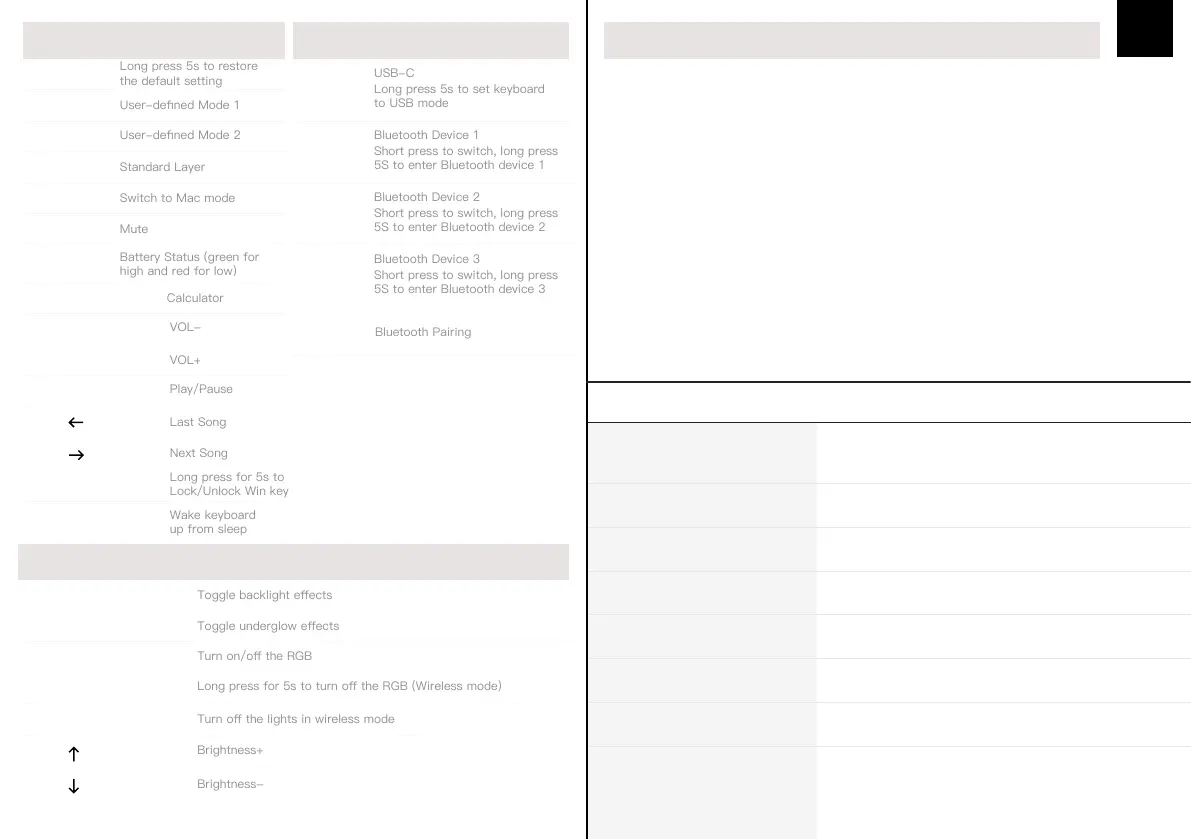
SHORTCUTS
FN + O
Long press 5s to restore
the default setting
FN + V
FN + B
FN + N
FN + M
FN + DEL
FN+LEFT
CTRL
Battery Status (green for
high and red for low)
FN + TAB
FN + CAPSLOCK
FN + BACKSPACE
FN + K
FN +
BACKLIGHT SETINGS
Long press for 5s to turn o the RGB (Wireless mode)
FN + SPACEBAR
FN + PAGE UP
FN + PAGE DOWN
FN + SPACE
FN +
FN +
FN + WIN
Long press for 5s to
Lock/Unlock Win key
FN + U
Long press 5s to set keyboard
to USB mode
FN + R
Short press to switch, long press
5S to enter Bluetooth device 1
FN + T
Short press to switch, long press
5S to enter Bluetooth device 2
FN + Y
Short press to switch, long press
5S to enter Bluetooth device 3
DOUBLE-CLICK
THE SPACEBAR
Wake keyboard
up from sleep
FN + H
FN +
Turn o the lights in wireless mode
CONNECTION
Long Press FN+R/T/Y for 3 seconds, the keyboard will start pairing, the light will ash and
stays on 10s. If there’s no connection, the keyboard will enter into sleep mode.
PAIRING BLUETOOTH
Pressing FN+Tab at the same time allows you to switch the RGB eect of your
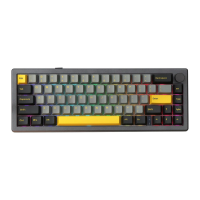
Everglide SK68 keyboard kit.
CHANGE RGB EFFECTS
Windows 7 or later, Windows 10 is recommended.
DRIVER RUNTIME ENVIRONMENT
HOT-SWAP YES
BACKLIGHT RGB BACKLIGHT
NUMBER OF KEYS 68 KEYS
COMPATIBILITY WINDOWS/MAC
PRODUCT WEIGHT AROUND 0.65KG
CONNECTION USB-C, BLUETOOTH 5.0
PRODUCT DIMENSIONS 329 x 116 x 31 m
6000mAhBATTERY
PRODUCT SPECIFICATIONS
FUNCTION GUIDE
FN + F


 To Next Page