EasyManua.ls Logo

Epomaker EP75 - User Manual

Epomaker EP75
18 pages
Print Icon
To Next Page IconTo Next Page
Loading...
EPOMAKER EP75
QUICK S T A R T GUI D E
Manufacturer: Shenzhen Changyun Technology Co., Ltd.
Address: Seventh Floor, Kai Daer Building, No.168 Tongsha Road,
Xili Street, Nanshan Disctrict, Shenzhen,Guangdong, CN
Email: support@epomaker.com
Web: www.epomaker.com
Made in China
RoHS
COMPLIANT
Created by Heipi
from the Noun Project
Created by Loren Klein
from the Noun Project
This Quick Guide is an introduction to the use and functionality of the EPOMAKER EP75.
For in-depth guide of functionality of the customization software please refer to the manual that you can find in
the official epomaker website at https://epomaker.com/pages/software-downloads
Should you require more assistance please email us at support@epomaker.com
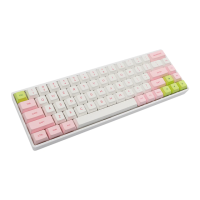
75% Hot-Swap Wired/Wireless Mechanical Keyboard
MODEL: EPOMAKER EP75
SIZE: 330 x 138 x 32mm
WEIGHT: 1160g ± 20g
LAYOUT: 75% Layout(82keys)
BUILT-IN BATTERY: 10000mah
CABLE USB VOLTAGE RANGE: 5≤500MAH
SYSTEM: Windows / Mac /Linux
HOTSWAP: YES
CONNECTION : USB-C, 2.4GHz Wireless, Bluetooth 5.0
EN
DEL
HOME
END
PGUP
PGDN
Question and Answer IconNeed help?

Do you have a question about the Epomaker EP75 and is the answer not in the manual?

Summary

EPOMAKER EP75 Product Overview

Product Features

Details the 75% Hot-Swap Wired/Wireless Mechanical Keyboard specifications.

Keyboard Functionality and Connectivity

Keyboard Shortcuts Guide

Comprehensive list of function key combinations for Windows and macOS.

Indicator Lights Explained

Understanding the meaning of different keyboard indicator lights.

Device Pairing Procedures

Step-by-step guides for pairing via Bluetooth and 2.4GHz wireless.

Power Management Features

Information on keyboard sleep mode, battery tips, and power query.

Maintenance and Support

Replacing Keycaps and Switches

Detailed instructions for removing and installing keycaps and mechanical switches.

Technical Assistance and Community

How to get technical support and join user community forums.

Warranty Policy Details

Explanation of Epomaker's warranty coverage and terms.

Customizing Keyboard Lighting

Backlight and Side Light Controls

Guide to adjusting backlight brightness, color, direction, and side glow effects.

Epomaker EP75 Specifications

General IconGeneral
ModelEP75
BrandEpomaker
TypeMechanical Keyboard
Switch TypeGateron
Layout75%
Keycap MaterialPBT
BacklightRGB
Battery Capacity3000mAh
Mounting StyleGasket Mount
Operating System CompatibilityWindows / MacOS
ConnectivityUSB-C
Case MaterialAluminum

Related product manuals