PAIRING BLUETOOTH
1. Hold Fn+Q/W/E for 3-5 seconds till the indicator flashes fast, the keyboard is ready to pair.
2. Turn on your Bluetooth device and find “Epomaker P75 - 1/2/3”, then connect. When the
keyboard is connected to the Bluetooth device, the indicator stops flashing and the connection
is done.
3. Press Fn+Q/W/E to toggle between the Bluetooth devices 1/2/3.
PAIRING WIRELESS 2.4GHZ
Toggle the switch to the Right (2.4G side), make sure that the keyboard is under the 2.4G
wireless mode:
Toggle the switch to the Left (Bluetooth side), make sure that the keyboard is under the
Bluetooth mode:
1. Hold Fn+R for 3-5 seconds till the indicator flashes fast, the keyboard is ready to pair.
2. Insert the 2.4G dongle to your computer. When the keyboard is connected, the stops
flashing.
WIRED MODE
Toggle the switch to the middle and plug the keyboard.
Note: The battery charges under either wireless or wired mode, as long as the keyboard is plugged.
INDICATOR
LowBattery:Fnkeyblinksred
Press FN+ENTER key to check the charging status when charging.
ENTER key shows red light for charging, green light for fully charged.
BATTERY CHECK
Hold Fn+Spacebar, the keys from 1 to 0 lights up to show the battery percentage; for
example, if the keys from 1 to 6 light up when holding Fn+ Spacebar, it means that the
battery life is currently 60%; if keys of 1-0light up, battery life is 100%.
SPECS
MODEL:
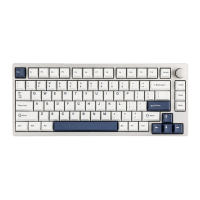
Epomaker P75
KEYSAMOUNT:
81 Keys
MOUNTING TYPE:
Gasket
CASE MATERIAL:
Aluminum
PLATE MATERIAL:
Flex-cut PC
STABILIZERTYPE:
Plate-mounted
PCBTYPE:
3/5-pin HotswapPCB
BATTERYCAPACITY:
4000mAh
CONNECTIVITY:
Type-CWired, Bluetooth, 2.4G
ANTI-GHOSTKEY:
NKRO
LED DIRECTION:
South-facing
COMPATIBILITY:
WINDOWS/MAC
POLLING RATE:
1000hz under Wired and 2.4G Mode;
125hz under Bluetooth Mode
DIMENSION:
324x136x45mm
WEIGHT:
Around1.6kg


 To Next Page