6
Running A Control Solution Test
You need the meter, a test strip, and control solution.
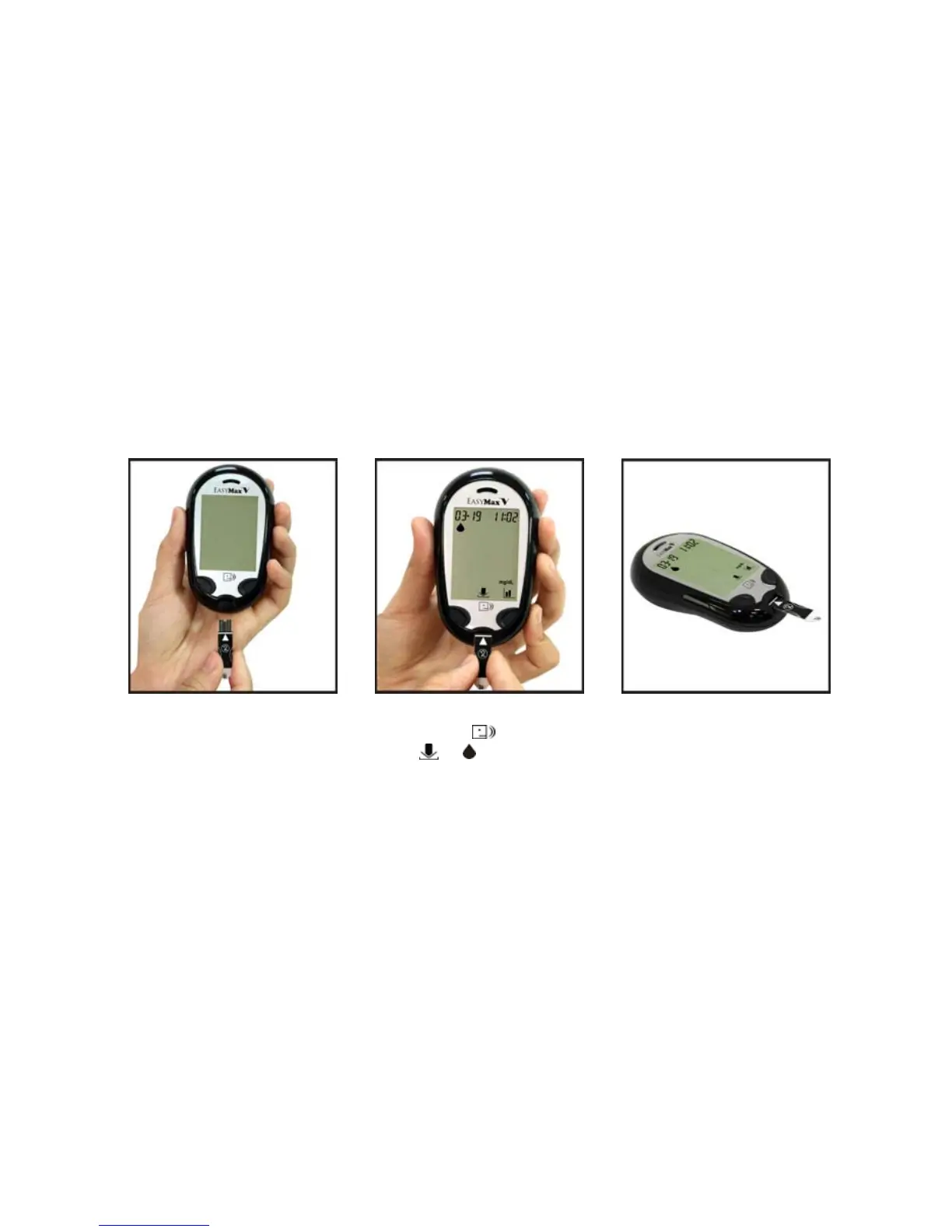
1. Put a test strip into the meter in
the direction of the arrow.
2. The meter turns on
automatically and the
icons of and
show themselves.
3. Place the meter on a flat
surface, like a table.
4. Remove the control
solution bottle cap and
wipe the tip of the bottle
with a tissue.
5. Squeeze the bottle until a
tiny drop forms at the tip
of the bottle.



 To Next Page