17
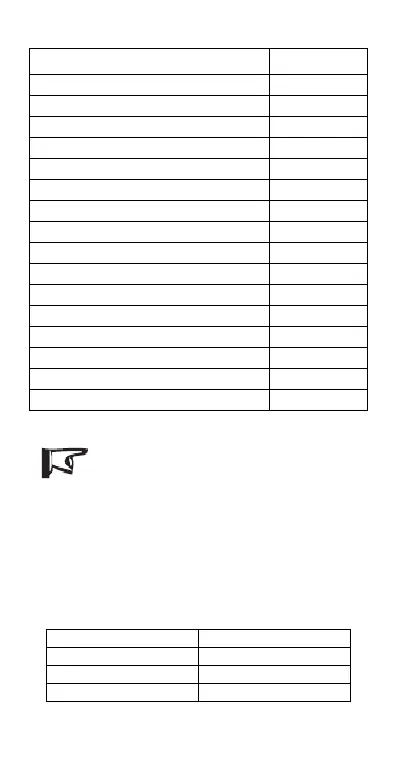
Load work mode Table 4-6
Load will be on for 1 hour before sunrise
Load will be on for 2 hours before sunrise
Load will be on for 3 hours before sunrise
Load will be on for 4 hours before sunrise
Load will be on for 5 hours before sunrise
Load will be on for 6 hours before sunrise
Load will be on for 7 hours before sunrise
Load will be on for 8 hours before sunrise
Load will be on for 9 hours before sunrise
Load will be on for 10 hours before sunrise
Load will be on for 11 hours before sunrise
Load will be on for 12 hours before sunrise
Load will be on for 13hours before sunrise
Load will be on for 14 hours before sunrise
Load will be on for 15 hours before sunrise
Notes: If timer 1 is Dusk to Dawn( 0), Test mode (16) or
ON/OFF mode (17), the timer 2 will be disabled and
show „n‟!
Battery Type Setting
When battery type setting indicator is on, press the setting button for
more than 5 seconds till the LED digital tube flashes. Then press the setting
button till the desired number appears according to the following table. The
setting is finished when the LED digital display stops flashing.
Battery type setting Table 4-7





 To Next Page