Alarm
Fault audible alarm, could be activated or deactivated.
Communication indicator
Indicate communication status when MT50 is connected with the controller.
Display screen
Man-machine interaction operation interface.
Buttons
The Meter buttons includes four navigation buttons and two operational
buttons. See the specific directions in the Operational Manual.
RJ45 communication and power interfaces
Communication and power supply cable interfaces, used for communication
connection with controllers.
Note: Please use the communication plug which is marked with “MT”
to connect MT50
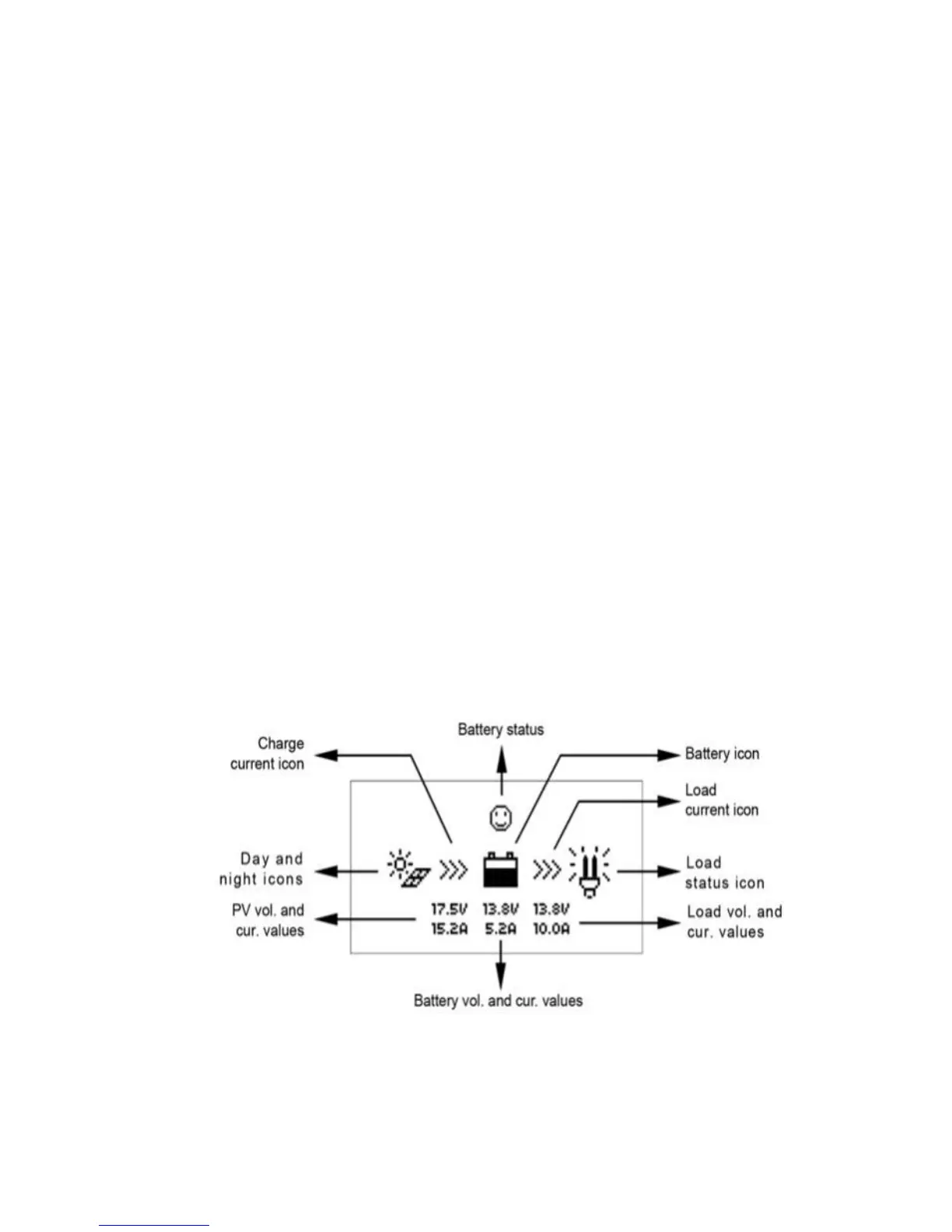
Monitoring screen


 To Next Page