Replacing Dampers
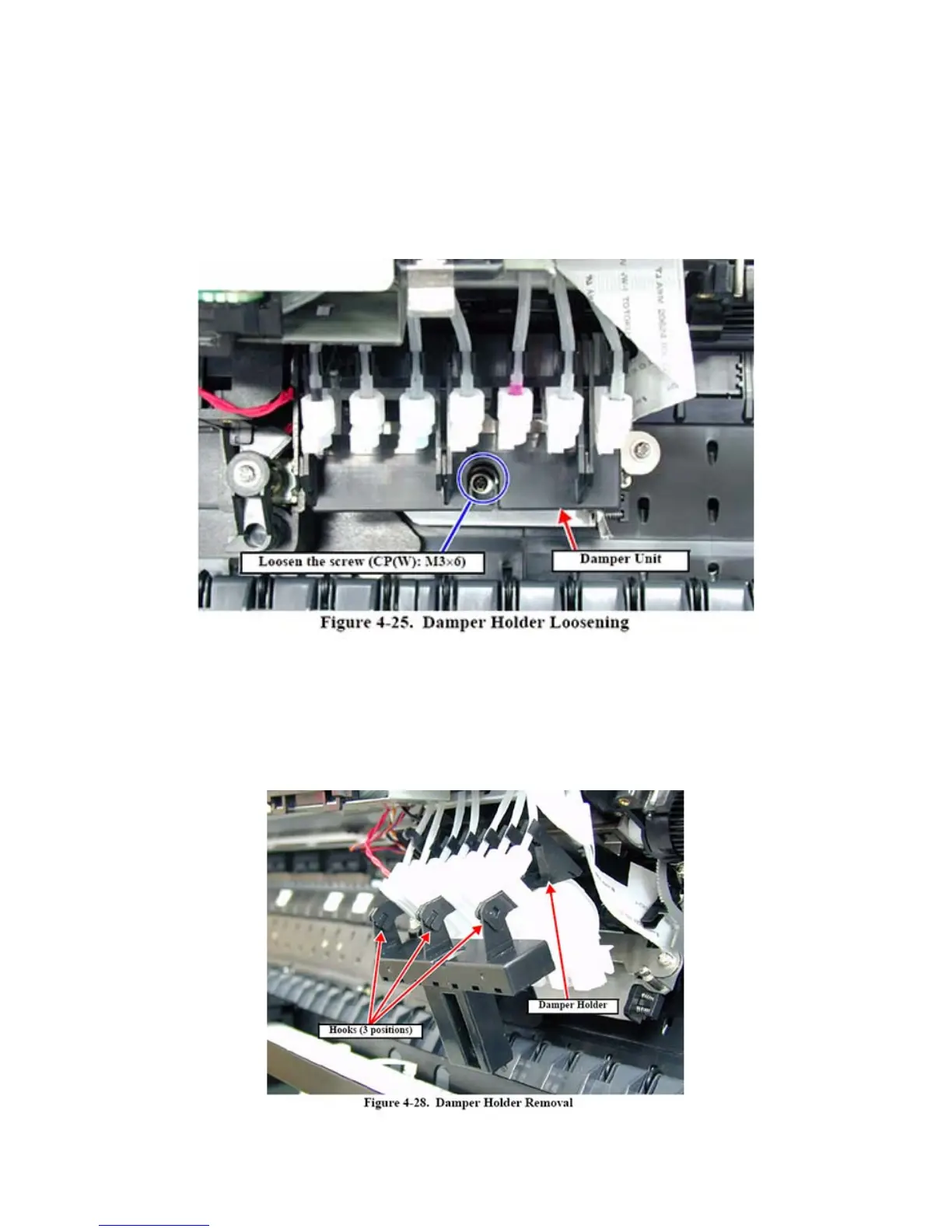
With the carraige place in the middle of the printer, remove the screw as shown. You will need a
philips head screw driver. Place you opposite hand finger under the carraige and feel the screw.
Then place the screw driver straight down to you feel the catch of the head. Gently unscrew. On
some printers the screw will only release but not be removed.
Remove the dampers by pulling them up and over to you. Do not touch the lever on the
right. If youi plan to replace dampers, you must unclip the hooks as shown below. You
may want to check each damper while you have the unit apart. To remove a damper
you need to unscrew the white nut. Be careful not to loose the o ring under the nut. I
suggest you replace each damper one at a time so as not to mix up the order.



 To Next Page