29
R4C626
short.bk Rev_D
A5 size DPRIN.FM
9/8/00 Pass 0
L
Proof Sign-off:
Otsuka _______
N.Nomoto _______
R.Thomson _______
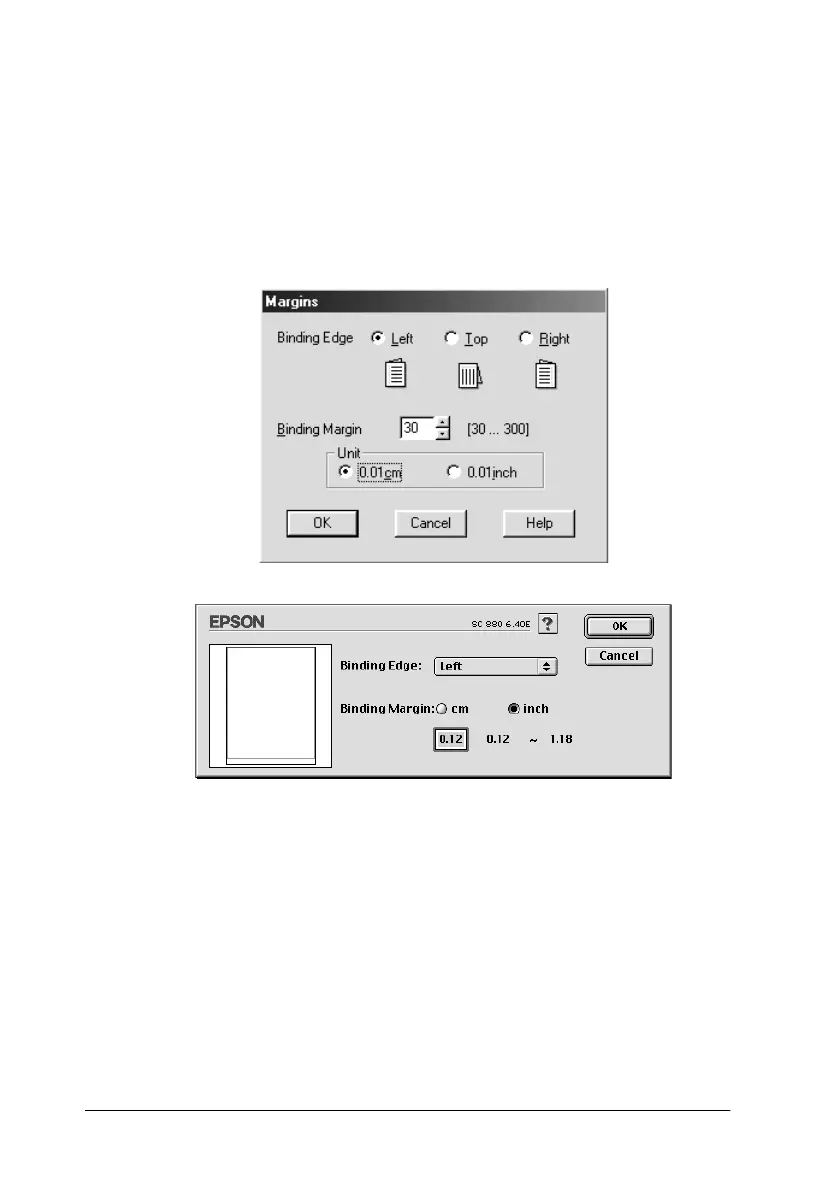
Margins
Click this button to open the Margins dialog box, where you can
specify which edge the binding will be on. You can choose
between
Left
,
Top
, and
Right
. You can also specify the width of
the binding margin by entering a value in the Binding Margin text
box.
Folded Booklet
Select this check box to make single-fold booklets. For more
details on this feature, refer to your online
Reference Guide
.



 To Next Page