21
DS-C490
1
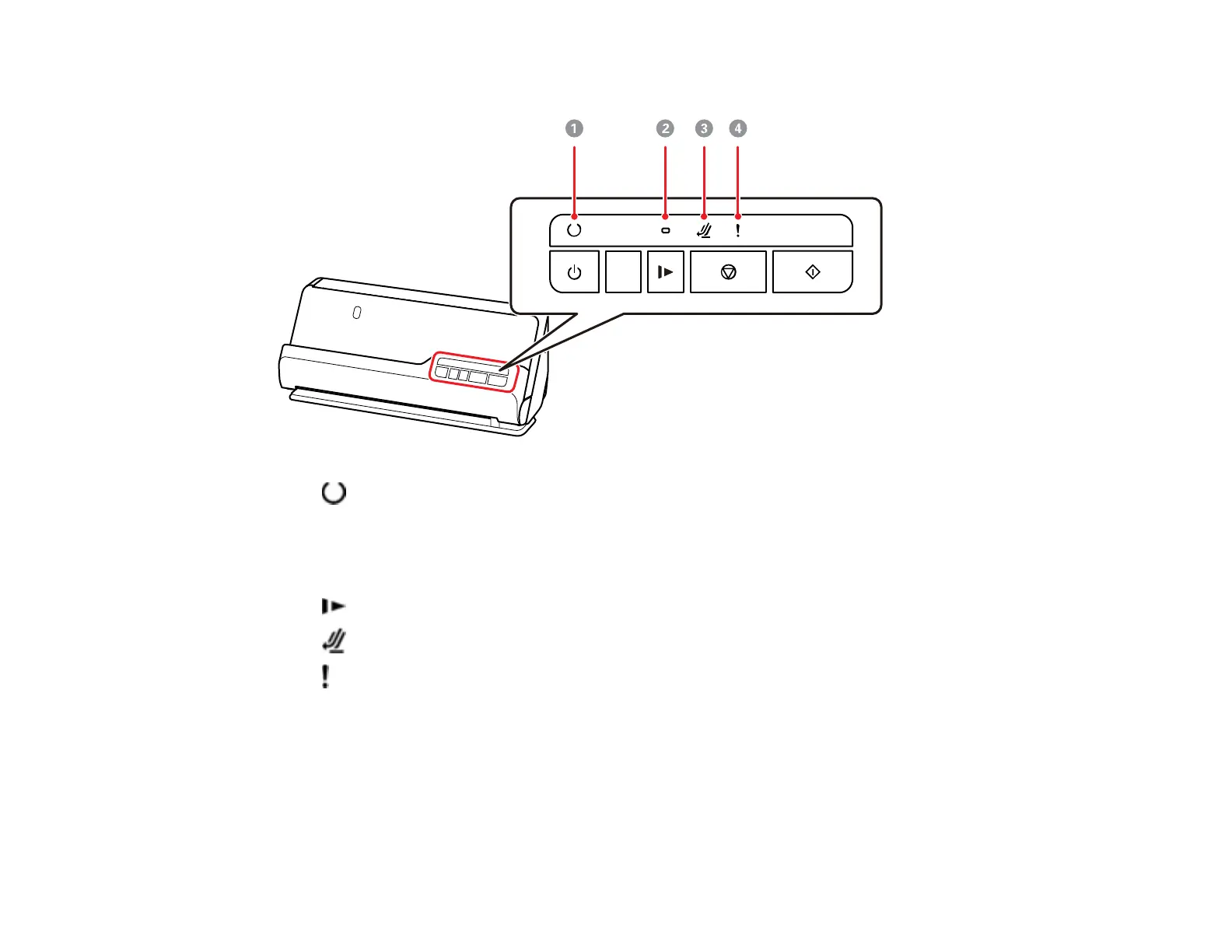
ready light
On: The scanner is ready to be used.
Flashing: The scanner is scanning, waiting to scan, processing, or sleeping.
Off: The scanner power is off or an error has occurred.
2
slow mode light
3
scanner position light (turns on when the scanner is in the straight path position)
4
error light
Parent topic: Using the Control Panel
Changing the Power Off and Sleep Timer Settings
You can use the Epson Scan 2 Utility to change the time period before the scanner enters sleep mode
and turns off automatically.


 To Next Page