EasyManua.ls Logo

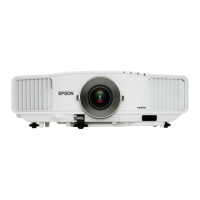
Epson EB-G5350 - User Manual

Epson EB-G5350
8 pages
Print Icon
To Next Page IconTo Next Page
Loading...
Epson
EB
G5000 Series
Epson
EB
G5000 Series
When image is everything,
real value stands out
8p G5000Series.qxd 21/05/08 16:35 Page 2

Questions and Answers

  • L
    Lauren GuerraSep 15, 2025
    Why is email not sent even if an abnormality occurs in the Epson projector?
    • B
      barnesjeremiahSep 15, 2025
      If e-mail is not sent even if an abnormality occurs in the projector, it could be due to several reasons: * The wireless LAN unit is not connected; check that the wireless LAN unit is securely connected. * The network connect setting is incorrect; check the projector's network settings. * "Standby Mode" is not set to "Network On"; set "Network On" in "Standby Mode" from the configuration menu. * A fatal abnormality occurred and the projector came to a sudden stop; contact your local dealer or the nearest address. * Power is not being supplied to the projector; check that your electrical outlet or power source is functioning correctly. * The network cable is not connected correctly; reconnect it if it is not connected or not connected properly.
  • B
    Brianna RodgersSep 16, 2025
    What should I do if my Epson EB-G5350 Projector has one or more connected projectors that do not support resolutions greater than SXGA?
    • D
      Denise RodriguezSep 17, 2025
      If one or more connected projectors do not support resolutions greater than SXGA, and there is an ELP-735 projector in the connection destination, change the computer's screen resolution to SXGA (1280 1024) or less.
  • M
    Mrs. Renee MooreNov 19, 2025
    Why is my Epson EB-G5350 not found when EMP NS Connection is started?
    • C
      Christina PerryNov 19, 2025
      The Epson Projector might not be found when EMP NS Connection is started due to several reasons: * The wireless LAN unit might not be securely connected; ensure it is properly connected. * The projector's configuration menu might be open; close it and return to the EasyMP standby screen. * The computer's LAN card or built-in LAN function might not be available; validate LAN in the device manager. * SSID might not match the access point; set a different SSID. * DHCP function for wired LAN might be turned ON; turn OFF the DHCP setting for Wired LAN in the configuration menu. * The network adapter used was not selected correctly; select the correct network adapter from Set options - Switch LAN. * Wireless LAN setting might not be enabled in power save mode; enable wireless LAN...
  • N
    Nicole SullivanNov 26, 2025
    Why are the image and sound for movies with EMP NS Connection not displayed correctly on my Epson Projector?
    • S
      Samuel AveryNov 26, 2025
      If the image and sound for movies with EMP NS Connection are not displayed, the image is slow, or the movie/audio stops, it could be due to: * Movies played with Media Player or a screen saver preview tried to operate; the movie playback screen in Media Player may not be displayed, and the screen saver preview may not be displayed normally, depending on the computer. * WEP encryption being active or multiple projectors connected; the display speed decreases. * DHCP not being enabled; when DHCP is set to "On", if a DHCP server that can be connected to is not found, it takes time to enter EasyMP standby status. * EMP NS Connection started during movie playback or resolution and color number changed; start EMP NS Connection before starting playback. * Wireless LAN 802.11g/b being u...

Epson EB-G5350 Specifications

General IconGeneral
Brightness5000 ANSI Lumens
Contrast Ratio10000:1
Technology3LCD
Projection System3LCD
Lamp TypeUHE
Screen Size30 - 300 inches
Zoom Ratio1.6x
Noise Level (Normal)37 dB
Native ResolutionXGA (1024x768)
Keystone CorrectionVertical: ±30 degrees, Horizontal: ±30 degrees
Input TerminalsHDMI, VGA, Composite
Output TerminalsVGA
Operating Temperature5 - 35 °C

Related product manuals