16
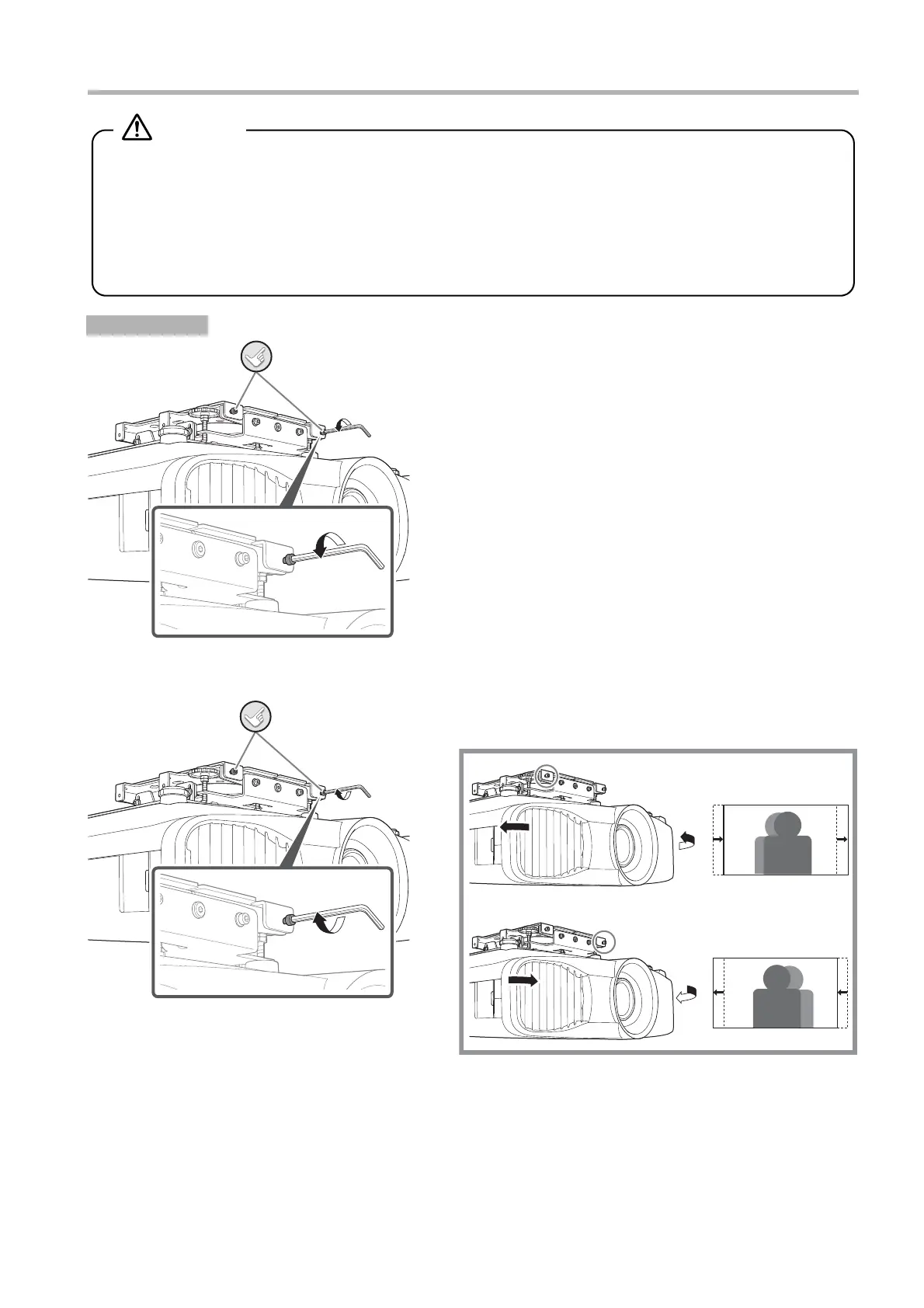
Shifting the Projected Image to the Right or Left
A
If the screws are tightened, loosen the two screws using the
ball point hex wrench.
B While tightening the screws with the ball point hex wrench,
fine tune the position.
Procedure
v Keep holding the projector until the installation is complete.
v Do not loosen or remove the screws carelessly during horizontal rotation adjustment.
The projector may fall and cause an accident.
v Do not apply extra force to the plate or projector during adjusting the plates.
The projector or plates may fall and cause an accident.
v After the adjustment, try re-tightening all the screws again and make sure that all of them are securely
tightened.
Warning
Loosen these.
Adjust these.


 To Next Page