18
Install the ceiling plate cover after adjusting the installation angles as necessary if you want to coordinate the colors of the
projector and the ceiling.
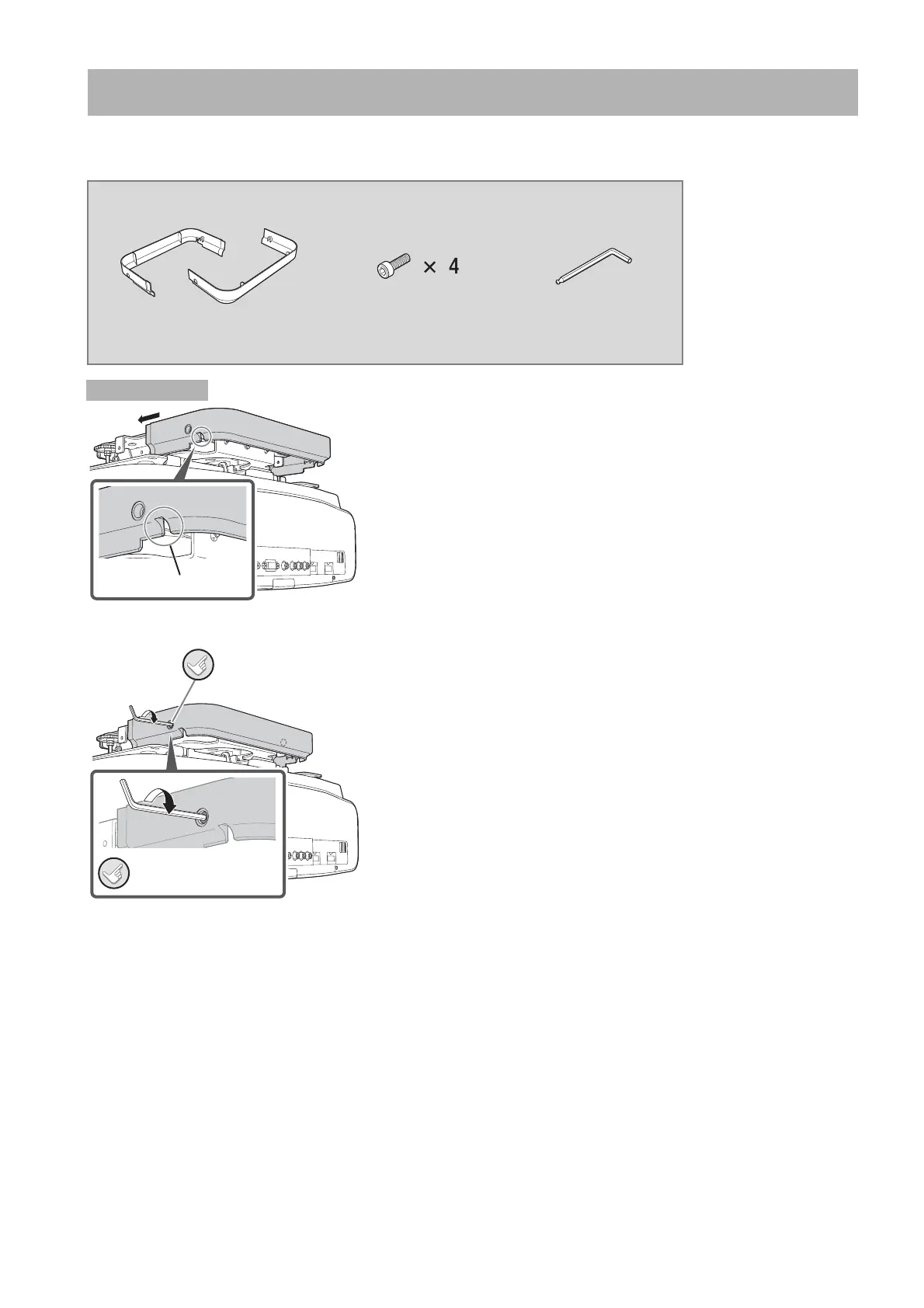
A Insert the ceiling plate cover to the rear side.
Use the piece with a cutout to cover the rear side.
B Insert the M4x10 screws into the screw holes on the ceiling
plate cover and tighten them with the ball point hex wrench.
Installing the Ceiling Plate Cover
Necessary items for the following procedure
Y Ceiling plate cover Y M4x10 screws
(mm; w/o washer)
Y Ball point hex wrench
Procedure
Cutout
Secure this.
Do the same
for the other side.


 To Next Page