3.
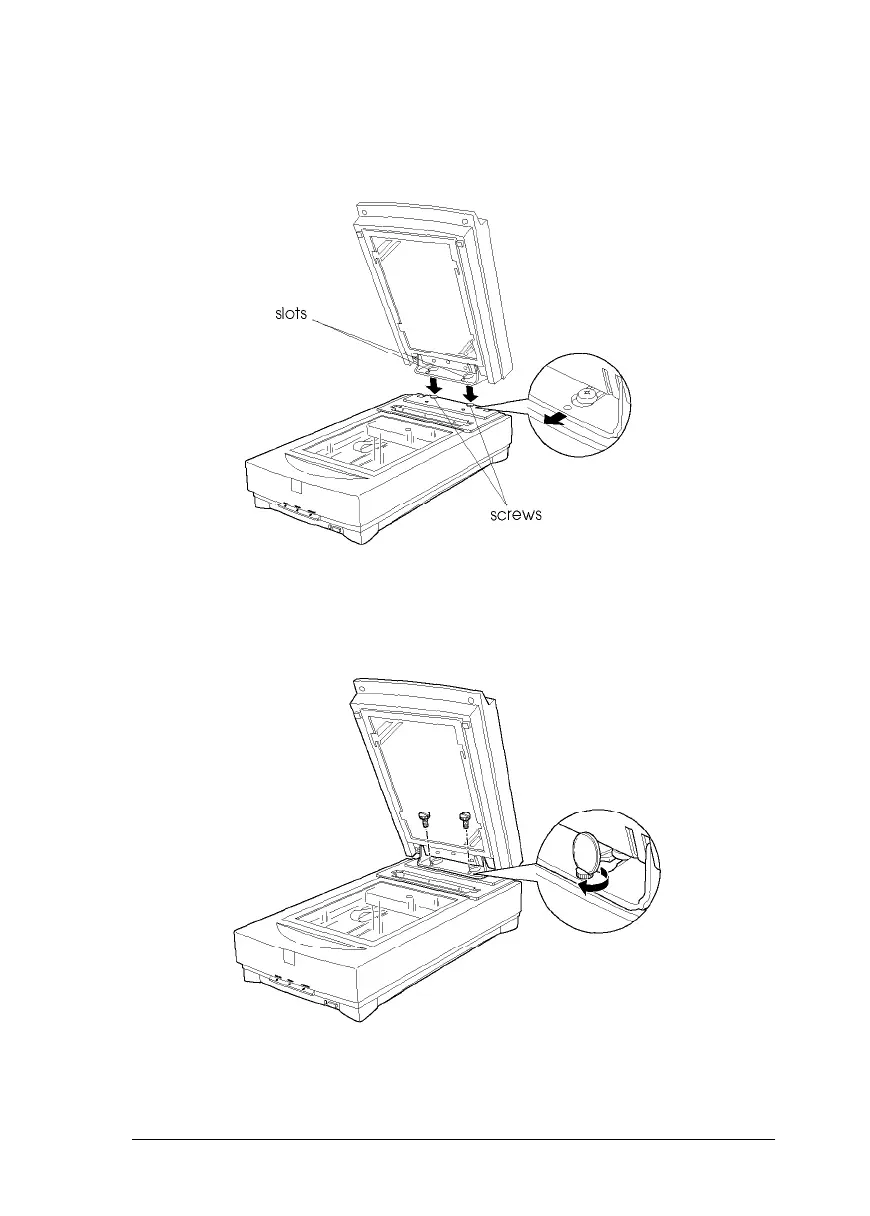
Locate the two screws at the back of the scanner and slide
the slots on the transparency unit forward underneath
these two screws.
4.
Insert the two screws provided with the transparency unit
into the holes in the scanner as shown below, and then
tighten the screws with a coin.
5.
Close the transparency unit.
OPt
ions 3-5












 To Next Page