69
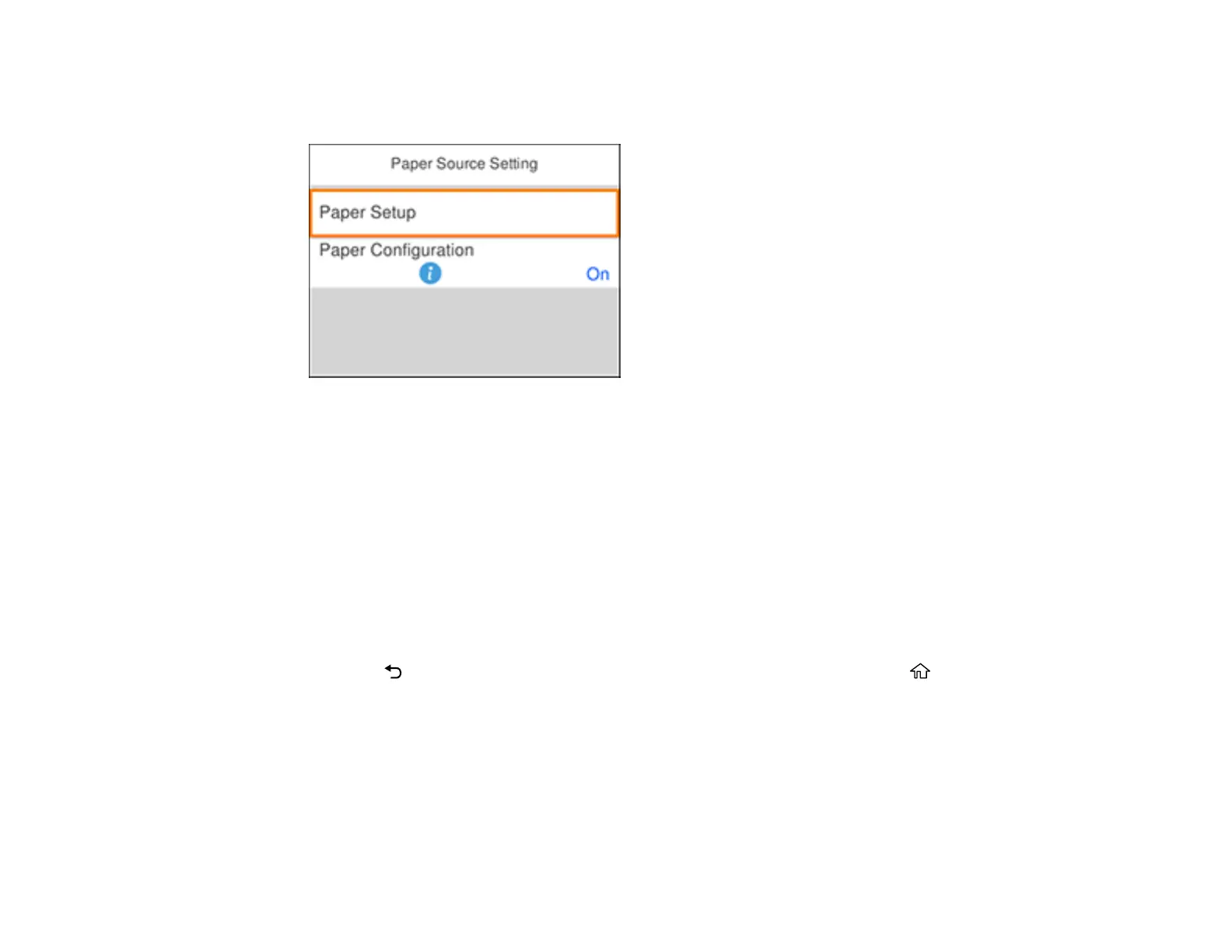
4. Select Paper Source Setting.
You see this screen:
Note: To turn off the automatic display of the paper settings selection screen after you load paper in
the cassettes, set the Paper Configuration setting to Off. If you do this, you will not be able to use
AirPrint.
5. Select Paper Setup.
6. Select the paper source you want to change.
7. Select Paper Size.
8. Select the paper size you loaded.
9. Select Paper Type.
10. Select the paper type you loaded.
11. Press the back button to select another paper source to change, or press the home button to
exit.
Paper or Media Type Settings - Control Panel
Parent topic: Loading Paper













 To Next Page