30 | Installing ink
The cartridges shipped with your printer are provided mainly to charge the ink system. Make sure you
order a new set of cartridges as soon as possible.
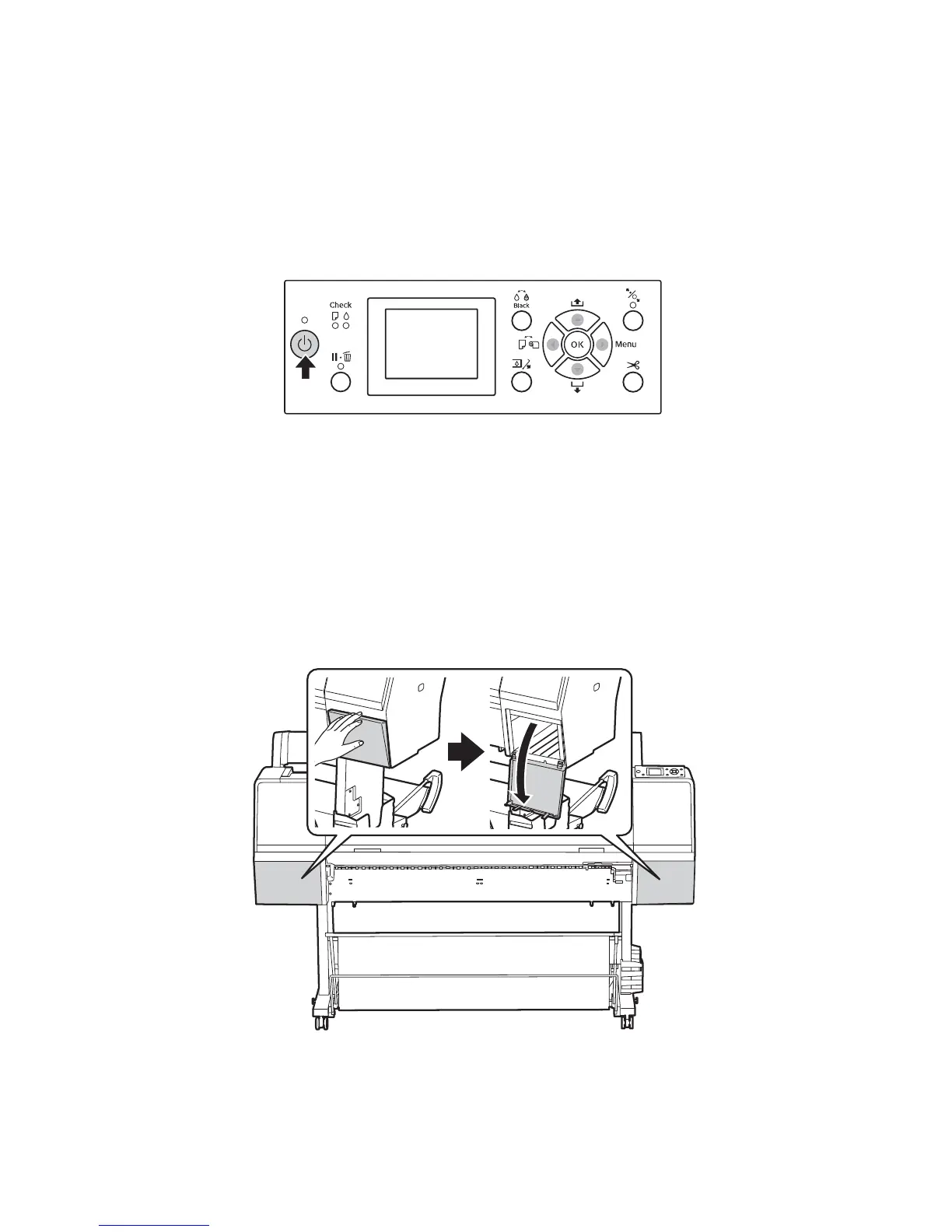
1. Press the P power button to turn on the printer.
2. Select the language, date/time, and units of measurment for the printer.
Note: For the SC-P7000/SC-P9000, choose the Select ColorMode setting that matches the ink cartridge that
was included with your printer. This setting cannot be changed once the initial ink charging process begins.
After about a minute, Install Ink Cartridge appears on the LCD screen and the ink covers pop open
slightly.
Caution: Do not open the ink covers until the lock is released.
3.
Open both ink covers.








 To Next Page