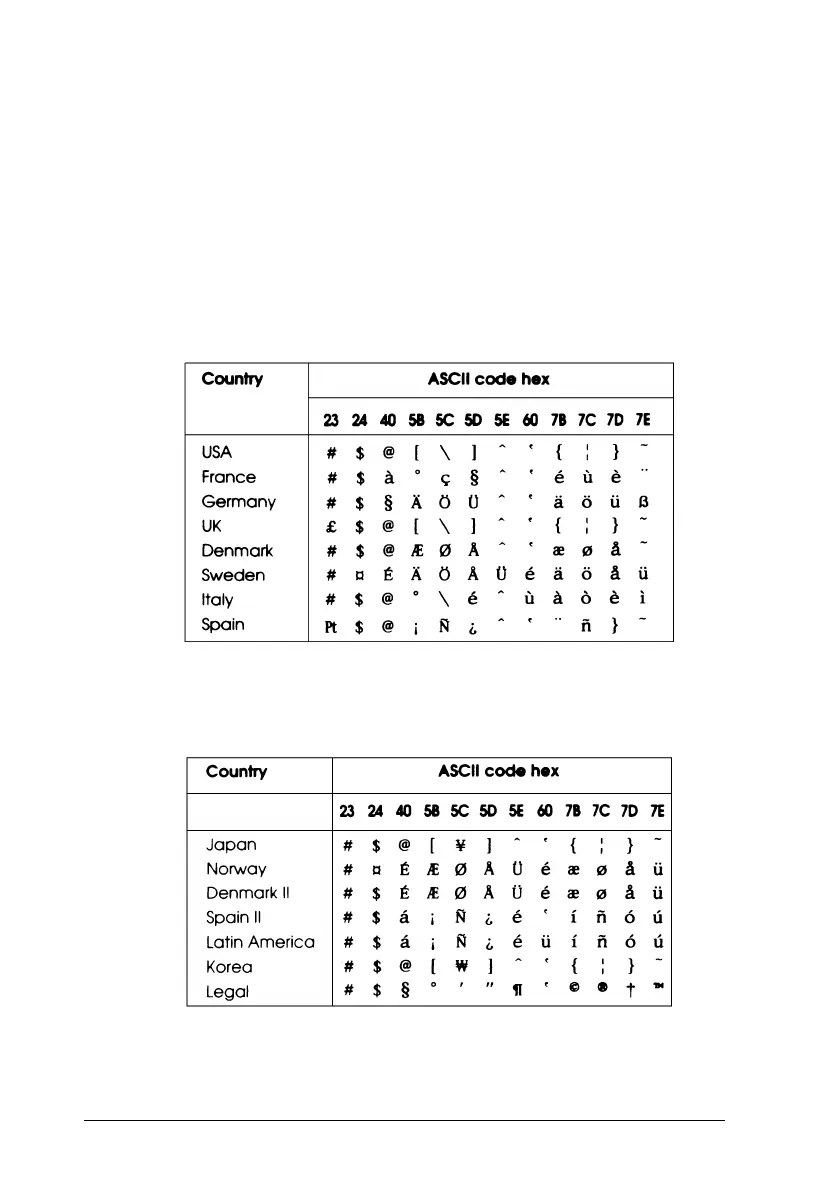
International Character Sets
You can select one of the following international character sets
using the printer’s Default setting mode or the ESC R
command. For example, when you select “Italic France,” the
characters in the “France” row on the table below are used in
the italic character table.
The following eight international character sets can be selected
using Default setting mode or with the ESC R command.
The following seven additional sets can be selected only with
the ESC R command.
intset10
intset20
L
Verde+ Reference Guide
A5 size Appendix C
10-30-95 DR, pass 3-Rev1
C-10 Commands and Character Tables











 To Next Page