9
c
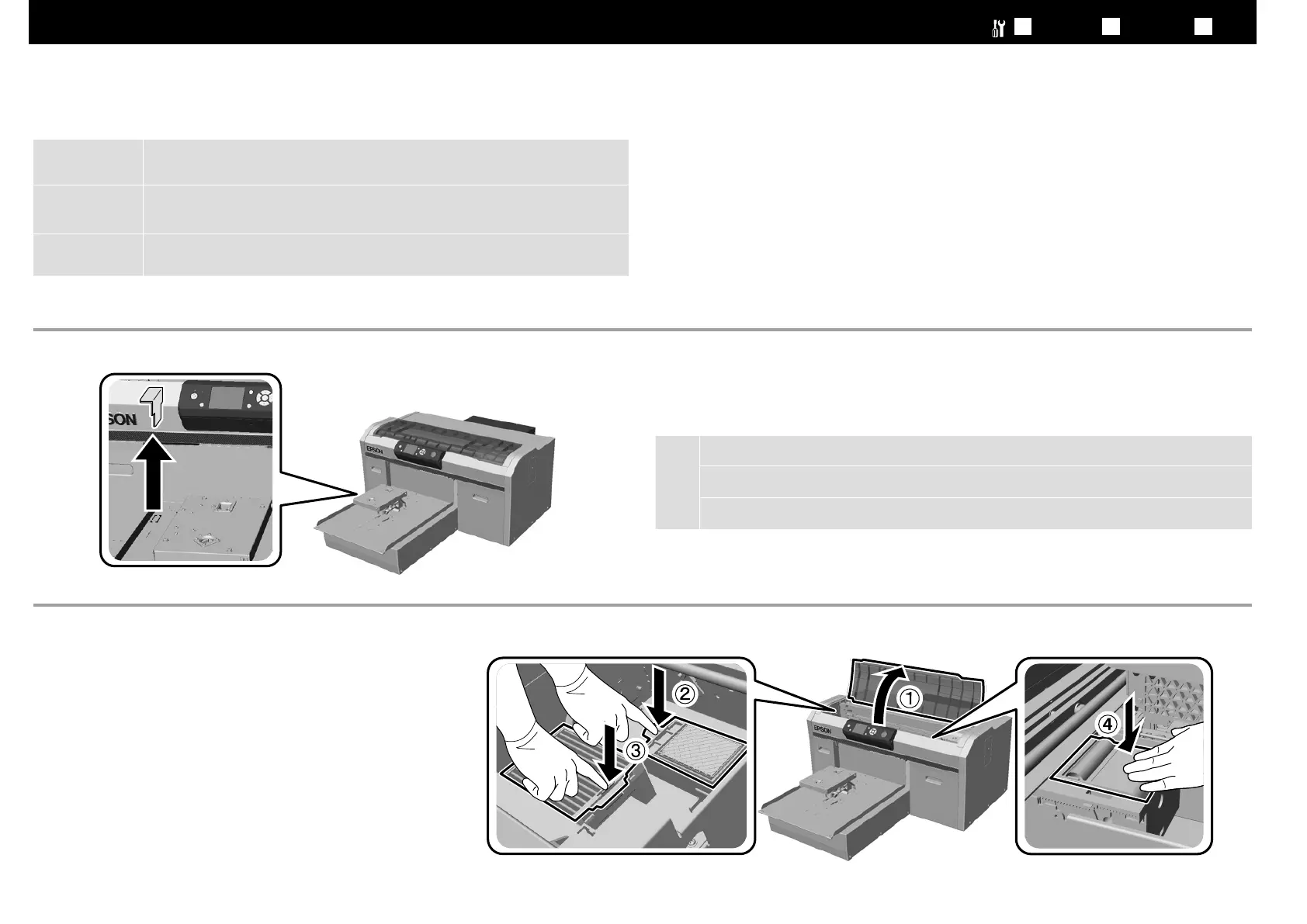
取り外した部品は輸送時に必要です。保管してください。
You need this removed part when transporting the printer. Store it in a safe place.
當搬運印表機時,您會需要這個移除的部品。請將它保存在安全之處。
保護テープと保護材をすべて取り除きます。
Remove all protective tape and protective materials.
移除所有保護膠帶和保護裝置。
A
プリンターカバーを開閉するときは、手や指を挟まないでください。
!
Warning:
Be careful not to trap your hands or ngers when opening or closing the printer
cover.
!
警告:
當打開或闔上前蓋時請小心,不要弄傷您的手或手指。
[ 2 ]
[ 3 ]
JA
設置
EN Installing TC
安裝
部品が外れていないか確認のため押し込みます。
Press down on the parts to make sure they have not come loose.
將部品向下壓並確保不會鬆開。



 To Next Page
 Loading...