Mac
A
Start the Maintenance Tool.
See the following fo
r information on starting the Maintenance Tool.
See “Error Messages (Mac)” on page 71
B
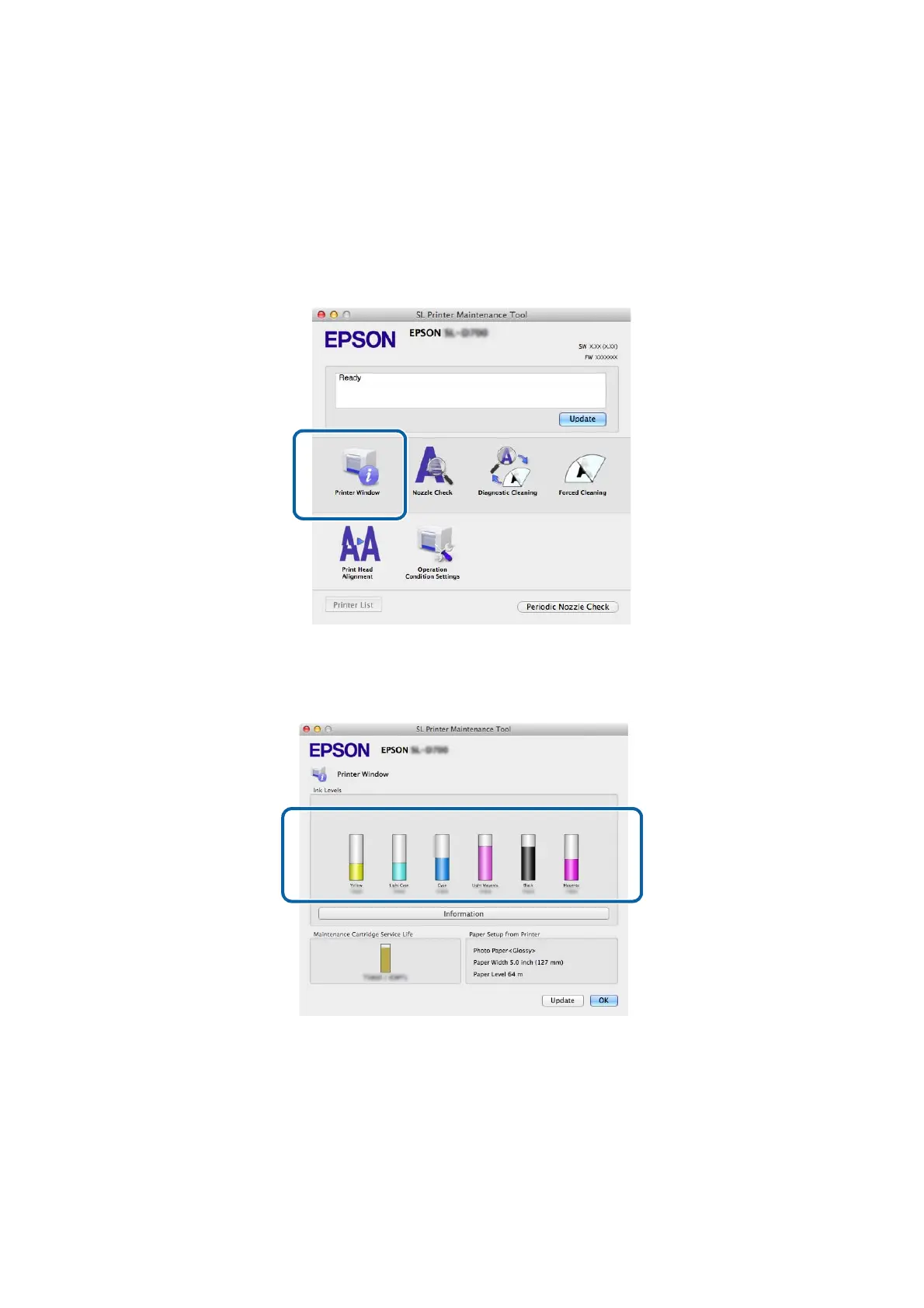
Click Printer Window on the main screen.
The Printer Window screen is displayed.
C
Check how much ink remains.
When you have finished checking, click OK.
Replacing Ink Cartridges
51







 To Next Page