25
G H
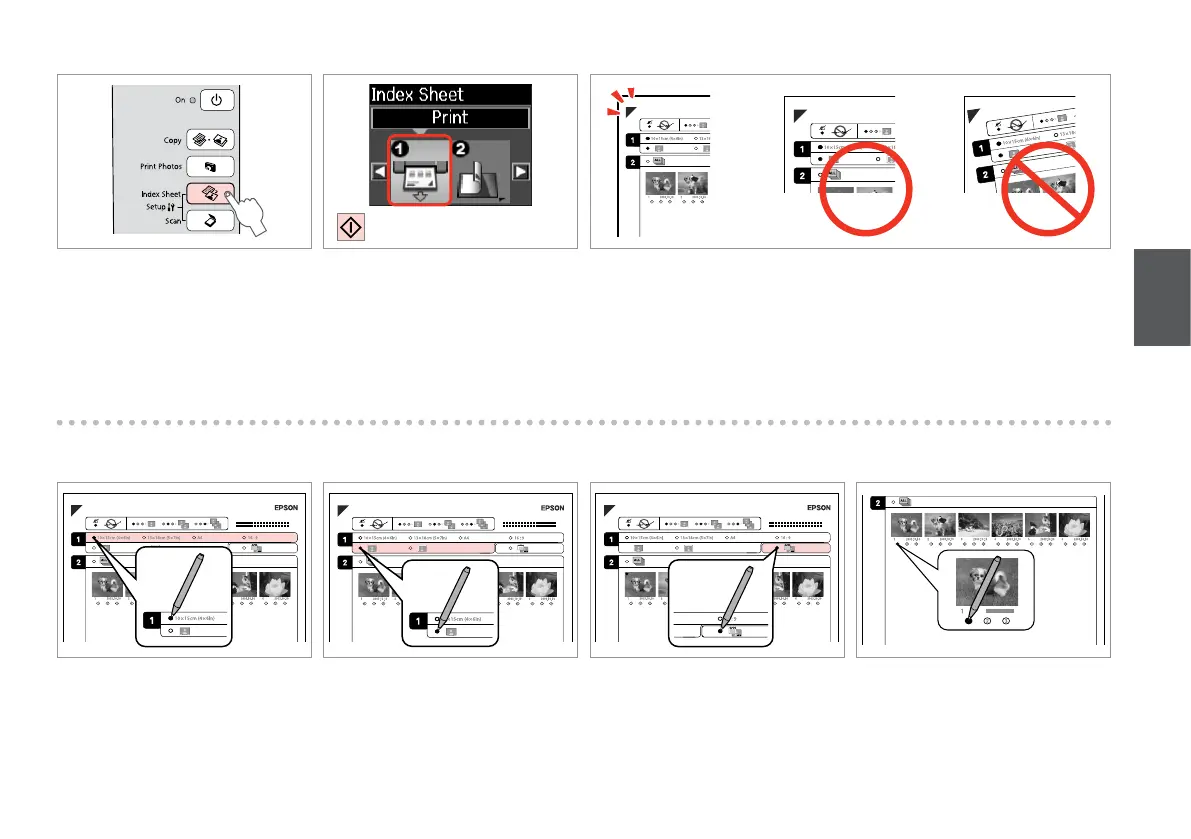
Select border or borderless.
Selezionare Margini o No margini.
Seleccione con márgenes o sin ellos.
Seleccione com ou sem margens.
Select to print with a date stamp.
Selezionare la stampa con data.
Seleccione si se imprime la fecha.
Seleccione para imprimir com data.
Check u aligns with the corner on the sheet.
Vericare che u sia allineato all’angolo sul foglio.
Compruebe que u esté alineada con la esquina de la hoja.
Alinhe u com o canto da folha.
E
F
Select a paper size.
Selezionare un formato carta.
Seleccione un tamaño de papel.
Seleccione um formato de papel.
D
Print the index sheet.
Stampare il foglio di indice.
Imprima la hoja de índice.
Imprima a folha de índice.
Select the number of copies.
Selezionare il numero di copie.
Congure el número de copias.
Seleccione o número de cópias.
I
C
Select Index Sheet.
Selezionare Index Sheet.
Seleccione Index Sheet.
Seleccione Index Sheet.





 To Next Page