Rev. A Adjustments and Settings 2-15
TM-J7000/TM-J7100 Developer’s Guide
Confidential
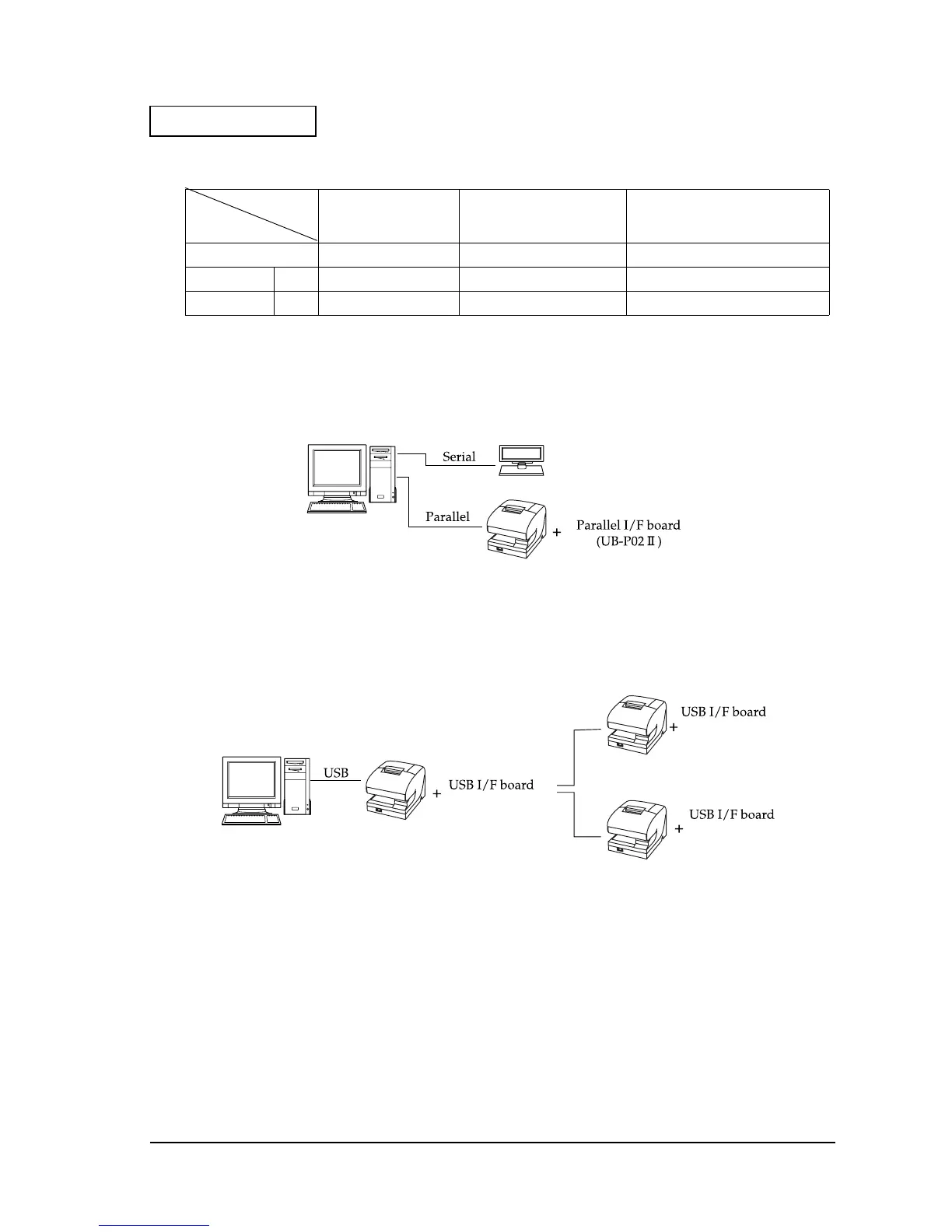
Parallel Connection
The TM printer is connected to the host PC via a parallel interface board (UB-P02II). The
customer display (DM-D) is connected to the host PC via a serial port.
USB
The TM printer can be connected to the host PC via a USB connector, and other TM printers can
be connected to the first printer via USB.
Application
TM side control
control setting
XON/XOFF
(except OPOS)
DTR/DSR
(DOS, OPOS, Visual C)
RTS/CTS
(DOS, Windows driver, Visual C,
Visual Basic, MSComm)
XON/XOFF Not available ——
DTR/DSR 1 — Type A or B Type B
2 — Type A or B Type A or B
(UB-U01II)
(UB-U02II)
(UB-U02II)
Example:


 To Next Page