12
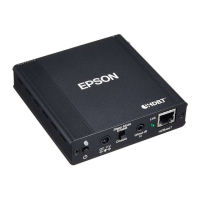
When installing the WirelessHD Transmitter, note the following.
v Place the WirelessHD Transmitter on a wooden shelf or other location that does not block
the signal from being transmitted from the front of the product. Note that placing the
transmitter on a metal shelf may cause signal instability.
v Use the transmitter within the wireless transmission range.
For more details on the communication range, see the User's Guide supplied with the
projector.
v Setup the WirelessHD Transmitter so that the front of the transmitter (where the antenna
is located) faces the front of the projector.
v Check that the projector and the WirelessHD Transmitter are close to each other, and that
there are no other projectors operating in the area.
Preparing



 To Next Page