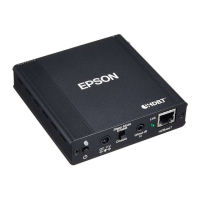
1111
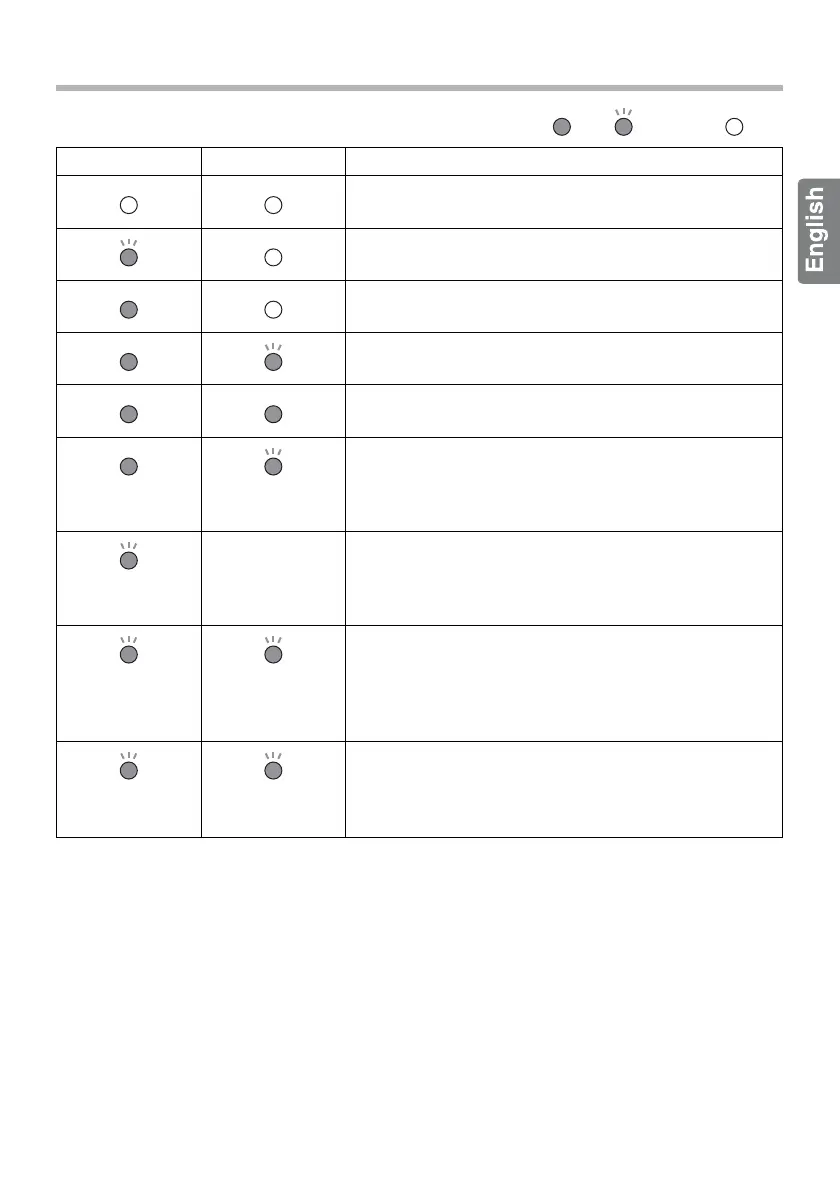
Indicator Status
: Lit/ : Flashing/ : Off
Power (green) Link (orange) Indicates
Power is off.
Starting up.
Started, but not yet communicating with the projector.
Power is on and the projector has been detected.
Power is on and communicating with the projector.
(flashing slowly)
In power-saving status.
It enters power-saving status when no communication
occurs for a fixed time; however, communication
starts again when a signal is input.
(flashes once)
-
(varies
depending on
the status)
When you press the [Setup] button, the indicator
flashes once and the projector is searched for again.
(flashing
simultaneously)
(flashing
simultaneously)
Initializing.
This occurs if the [Setup] button is pressed for five
seconds or more. When you release the button,
initialization starts. When initialization is complete, the
indicators return to starting up status.
(flashing
alternately)
(flashing
alternately)
An error has occurred.
The internal temperature may be too high. Do not
install the transmitter in a poorly ventilated location.



 To Next Page