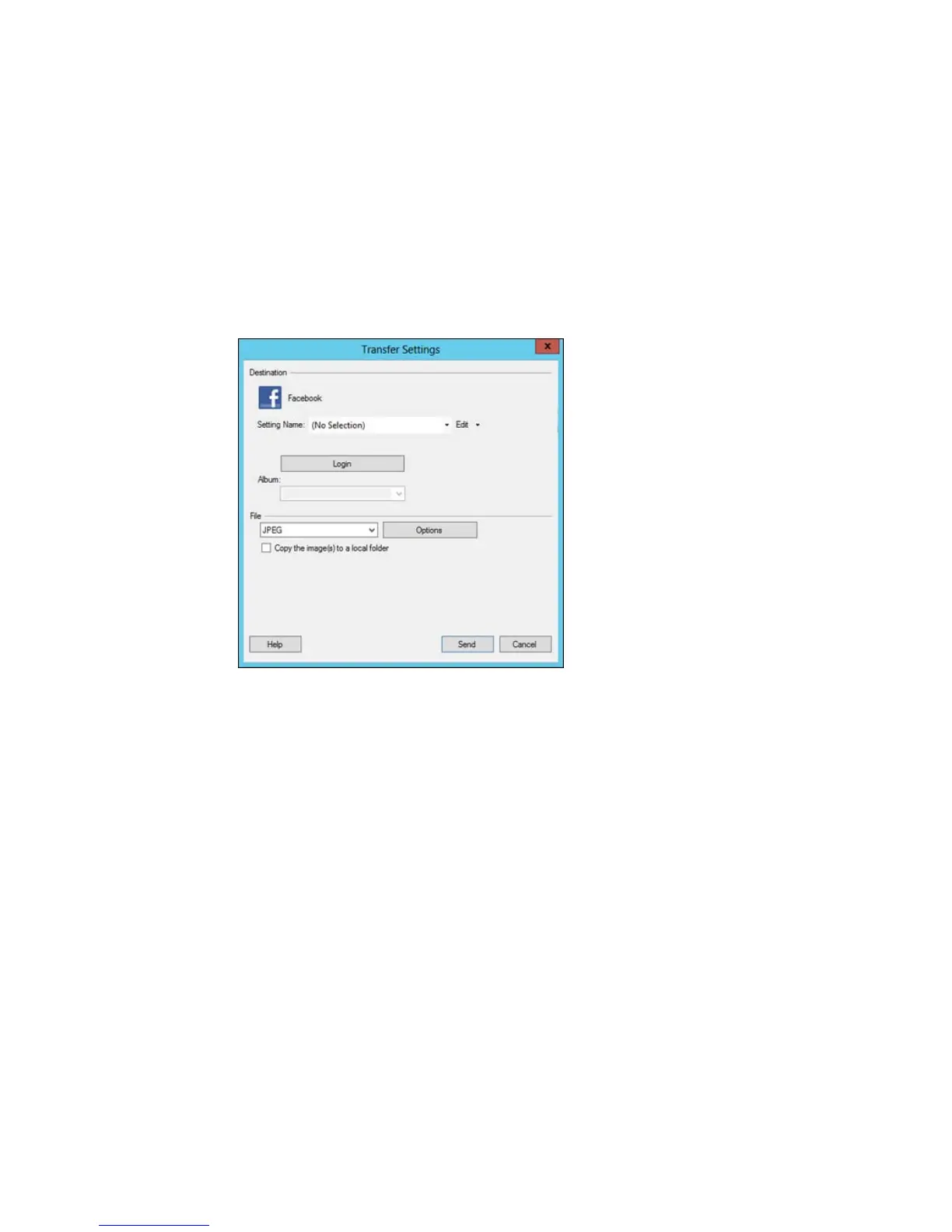
You see a window like this:
Note: If you have already configured a Facebook account in Easy Photo Scan, you can select the
Setting Name or Destination Name for the account, click Login if necessary, and click Send to
upload your images.
3. Click Login.
4. On the Application Authentication screen, log in to your Facebook account.
Note: To enable automatic image uploading, select the option for staying logged in.
122











 To Next Page