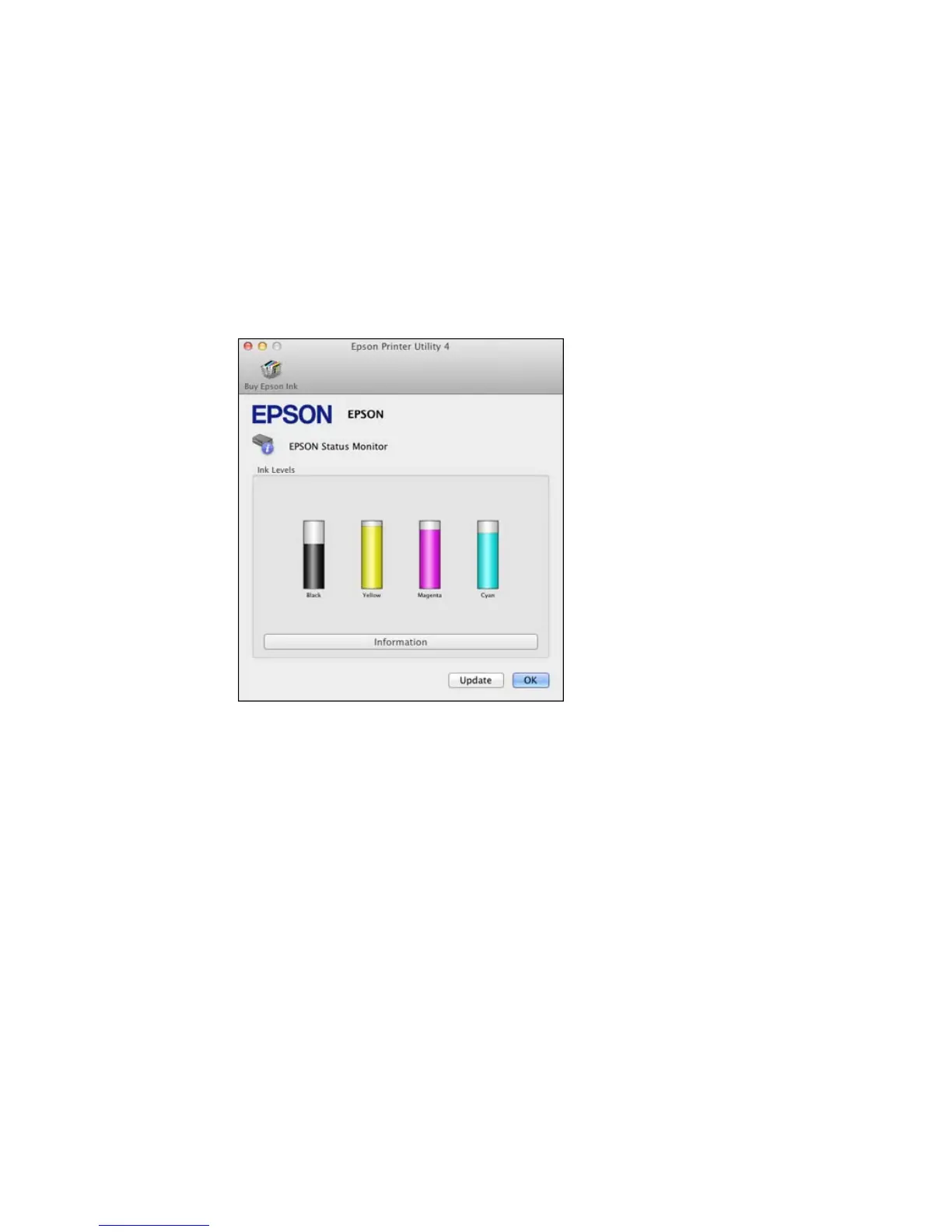
You see a window like this:
3. Do the following as necessary:
• To update the ink cartridge status, click Update.
• Replace or reinstall any ink cartridge indicated on the screen.
Note: If any of the cartridges installed in the product is broken, incompatible with the product model,
or improperly installed, Epson Status Monitor will not display an accurate cartridge status.
Parent topic: Check Cartridge Status
Related tasks
Removing and Installing Ink Cartridges
159











 To Next Page