20
H
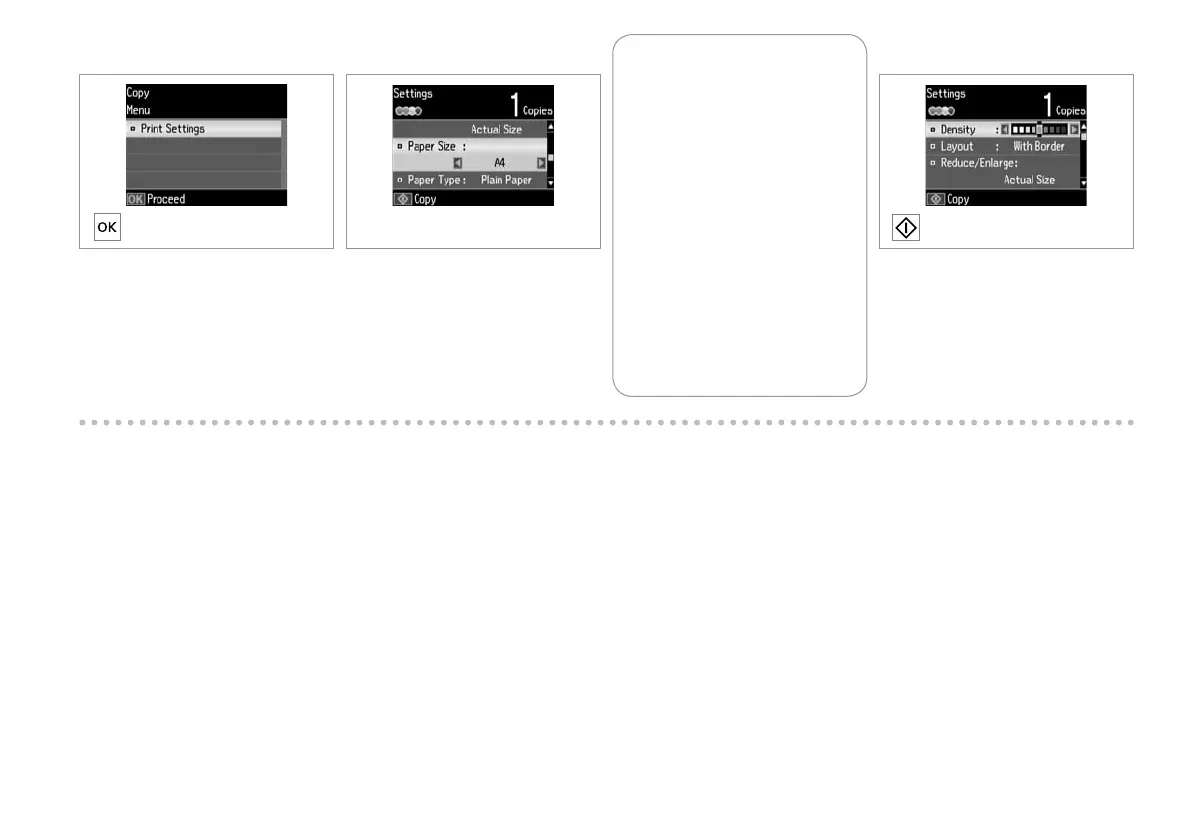
Enter Print Settings.
Accedere a Impostazioni stampa.
Acceda a Conguración de
impresión.
Seleccione Def. Impressão.
J
Start copying.
Avviare la copia.
Empiece a copiar.
Inicie a cópia.
I
Make the appropriate copy settings.
Denire le impostazioni appropriate
di copia.
Congure los ajustes de copia
adecuados.
Efectue as denições de cópia
adequadas.
Make sure you set the Paper Size
and Paper Type.
Assicurarsi di impostare Formato
carta e Tipo carta.
Congure el Tam. papel y el Tipo
papel.
Certique-se de que dene o
Formato Papel e Tipo Papel.
Q











 To Next Page