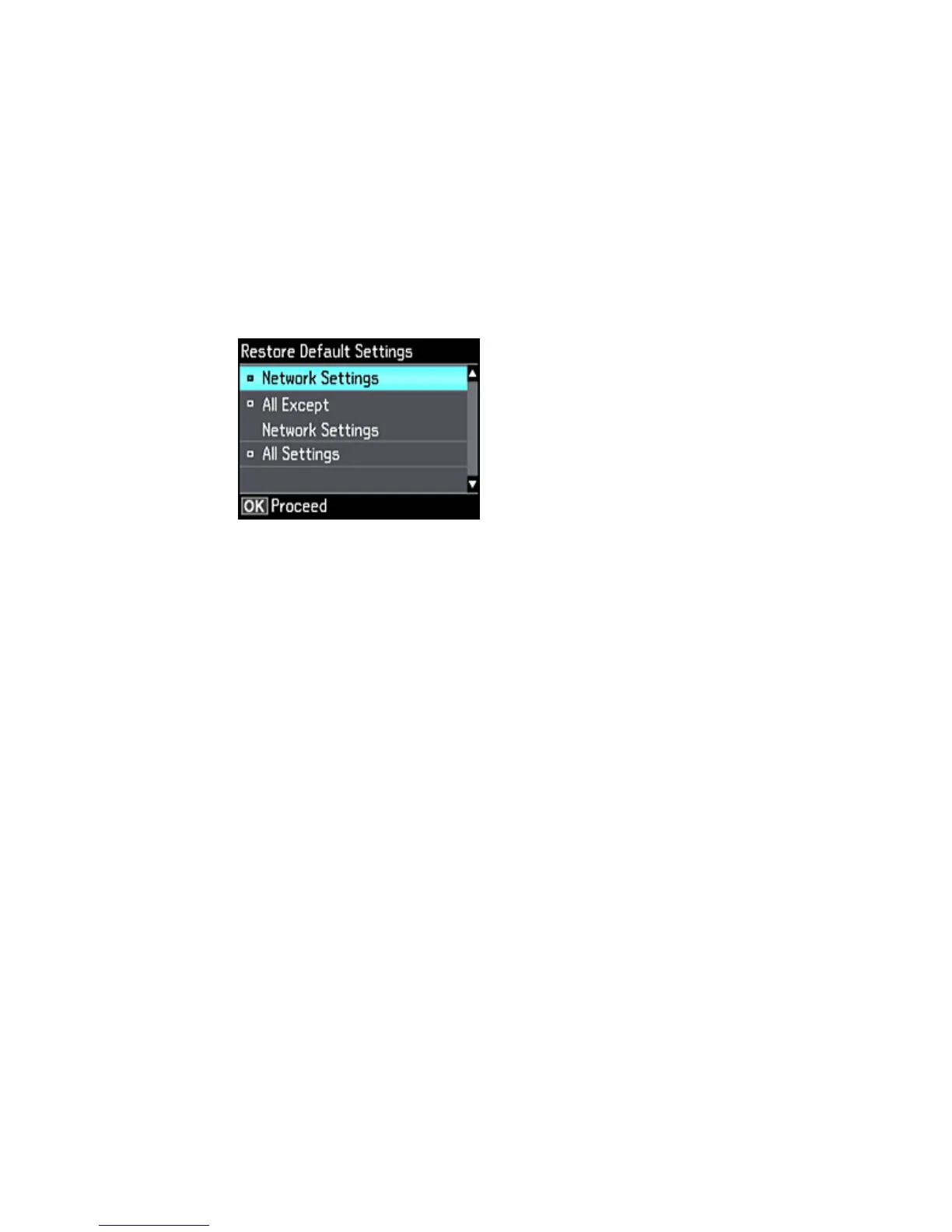
3. Select Restore Default Settings and press the OK button.
4. Select one of these options:
• Network Settings: Resets all network settings.
• All except Network Settings: Resets all control panel settings, except for network settings.
• All Settings: Resets all control panel settings.
You see a confirmation screen.
5. Select Yes to reset the selected settings. (Select No if you want to cancel the operation.)
Parent topic: Solving Problems
Solving Setup Problems
Check these sections if you have problems while setting up your product.
Noise After Ink Installation
Software Installation Problems
Control Panel Setup Problems
Parent topic: Solving Problems
253









 To Next Page