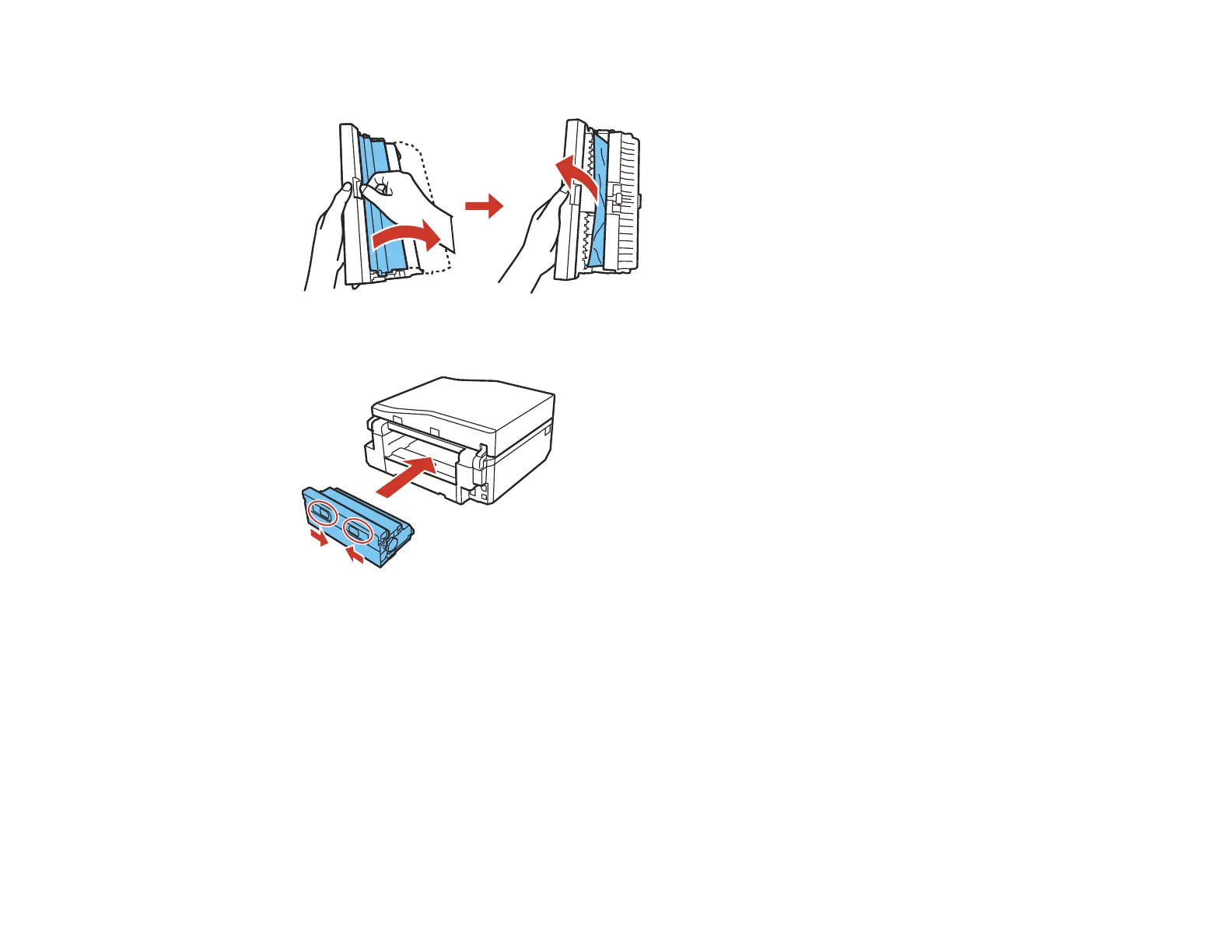
4. Open the duplexer and remove any jammed paper from inside it.
5. Reattach the duplexer.
6. Follow the prompts on the LCD screen to clear any error messages. If you still see a paper jam
message, check the other paper jam solutions.
Parent topic: Solving Paper Problems
Related references
Paper Jam Problems Inside the Product
Paper Jam Problems in the Paper Cassette
Paper Jams in the Automatic Document Feeder
301















 To Next Page