Configuring QX IP PBXs with Flowroute
Revision 1.0 5 26-Sep-16
3 Configuration
The Flowroute allows both IP-based authentication and SIP registration when configuring VoIP PBX systems.
The QX VoIP Carrier Wizard supports both methods; however, the SIP registration is used in the configuration
below.
The two sections below describe the configurations required on the IP PBX to allow the users to
• Make outgoing calls through the Flowroute SIP trunks.
• Receive incoming calls from the Flowroute SIP trunks.
3.1 Making Outgoing Calls through Flowroute
To create a new extension on the IP PBX and configure it with the provided account automatically follow the
steps below:
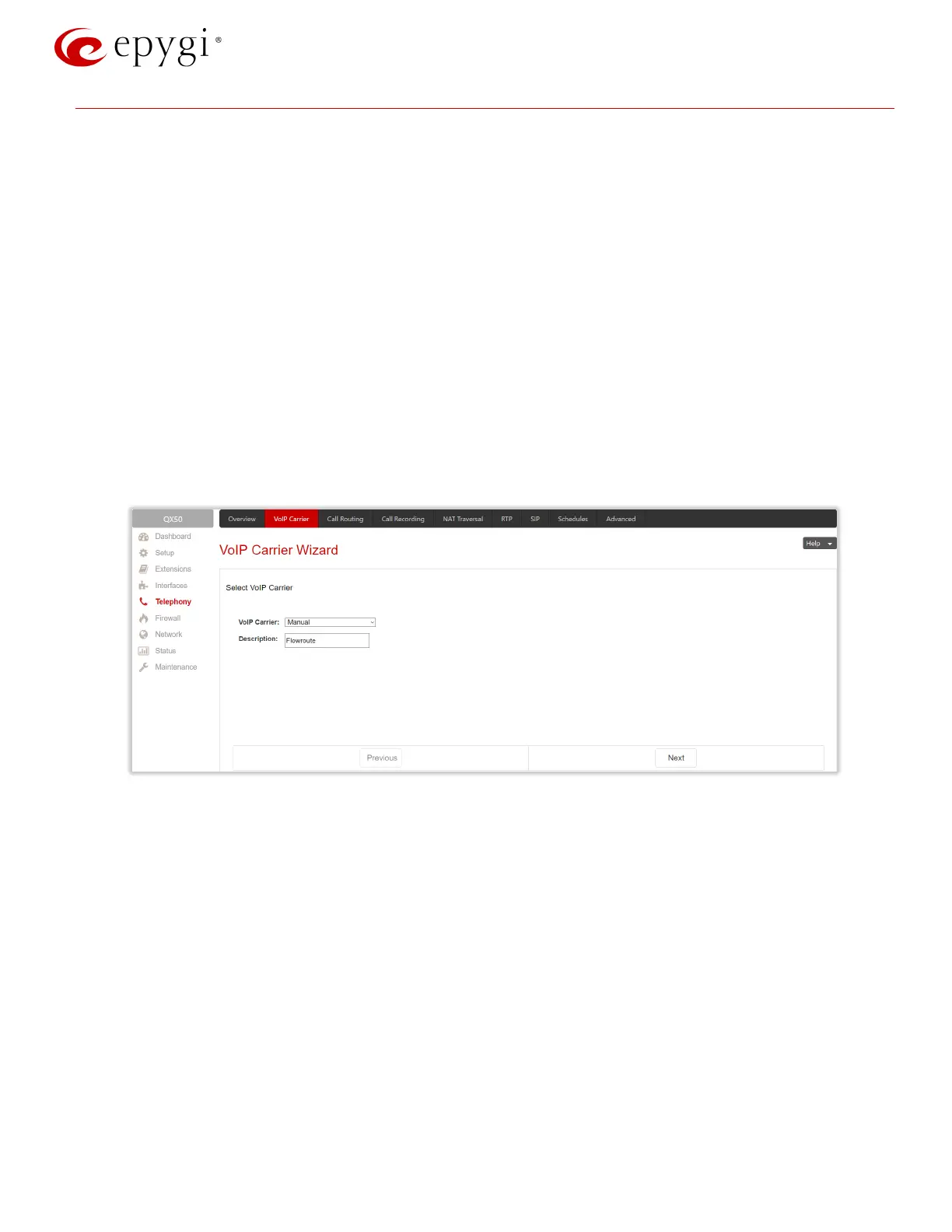
1. Go to the TelephonyVoIP Carrier Wizard page, pass through the wizard by inserting the below listed
parameters:
Select Manual for VoIP Carrier
Description – optional
Press Next (Figure 1).
Figure 1: VoIP Carrier Wizard – page 1
2. Insert the following parameters in the next opened page:
Account Name – the Authentication Username provided by the Flowroute (e.g. 49135259)
Password – ************
SIP Registrar – sip.flowroute.com
SIP Server Port – 5060
Enable Use RTP Proxy service and press Next (Figure 2).



 To Next Page
 Loading...


