v
Preface
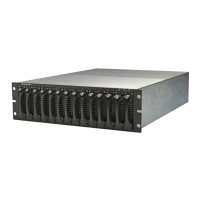
This QuickStart describes how to set up EqualLogic PS Series model 50E to 400E
storage array hardware and create a PS Series group—a self-managing, storage
area network (SAN) that is affordable and easy to use, regardless of scale.
After setting up the group, see the PS Series Group Administration manual for
information about managing the group.
Note: For model 50E to 400E storage arrays, PS Series Firmware Version 2.2 and
higher firmware versions support the Type II control module, which can be
identified by a blue face plate and single serial port. The figures in this
QuickStart show arrays installed with the Type II control module.
However—unless otherwise noted—the information in this QuickStart also
applies to the functionally equivalent Type I control module, which can be
identified by a dark gray face plate and two serial ports.
Do not mix different control module types in an array. However, a
PS Series group can include arrays with Type II control modules and
arrays with Type I control modules, if all the arrays are running compatible
firmware, as described in the PS Series Release Notes.
Audience
This QuickStart is designed for administrators responsible for setting up
PS Series 50E to 400E storage array hardware and creating a group. Although
administrators do not need extensive network or storage system experience, it
may be useful to understand:
• Basic networking concepts
• Current network environment
• User disk storage requirements
• RAID configurations
• Disk storage management
Note: This QuickStart describes using PS Series arrays in some common network
configurations. However, detailed information about setting up a network
is beyond its scope.


 To Next Page